| Audience | Marketers, platform admins |
| Prerequisites | Match Booster enabled and enriched on a model, and a sync to a supported destination |
After Match Booster enrichment has completed on a model, enable it in syncs to send enriched identifiers to supported advertising destinations.
How Match Booster works in a sync
When you enable Match Booster on a sync, Hightouch adds the matched identifiers from the model's enrichment to the data it sends to the ad platform. Before you begin, configure Match Booster on a model and wait for the initial enrichment to complete.
You can only enable Match Booster on syncs to supported destinations. The toggle does not appear for unsupported destinations.
Enable Match Booster in a sync
-
Go to Activation > Syncs. Select an existing sync or create a new one.
-
Open the Configuration tab.
-
In the field mapping section, turn on Match Booster.
-
Choose a targeting level.
-
Review which identifiers Hightouch will send. Hightouch automatically selects the best available enriched identifiers for each destination. Some destinations allow you to remove specific identifiers if needed.
-
Select Save changes.
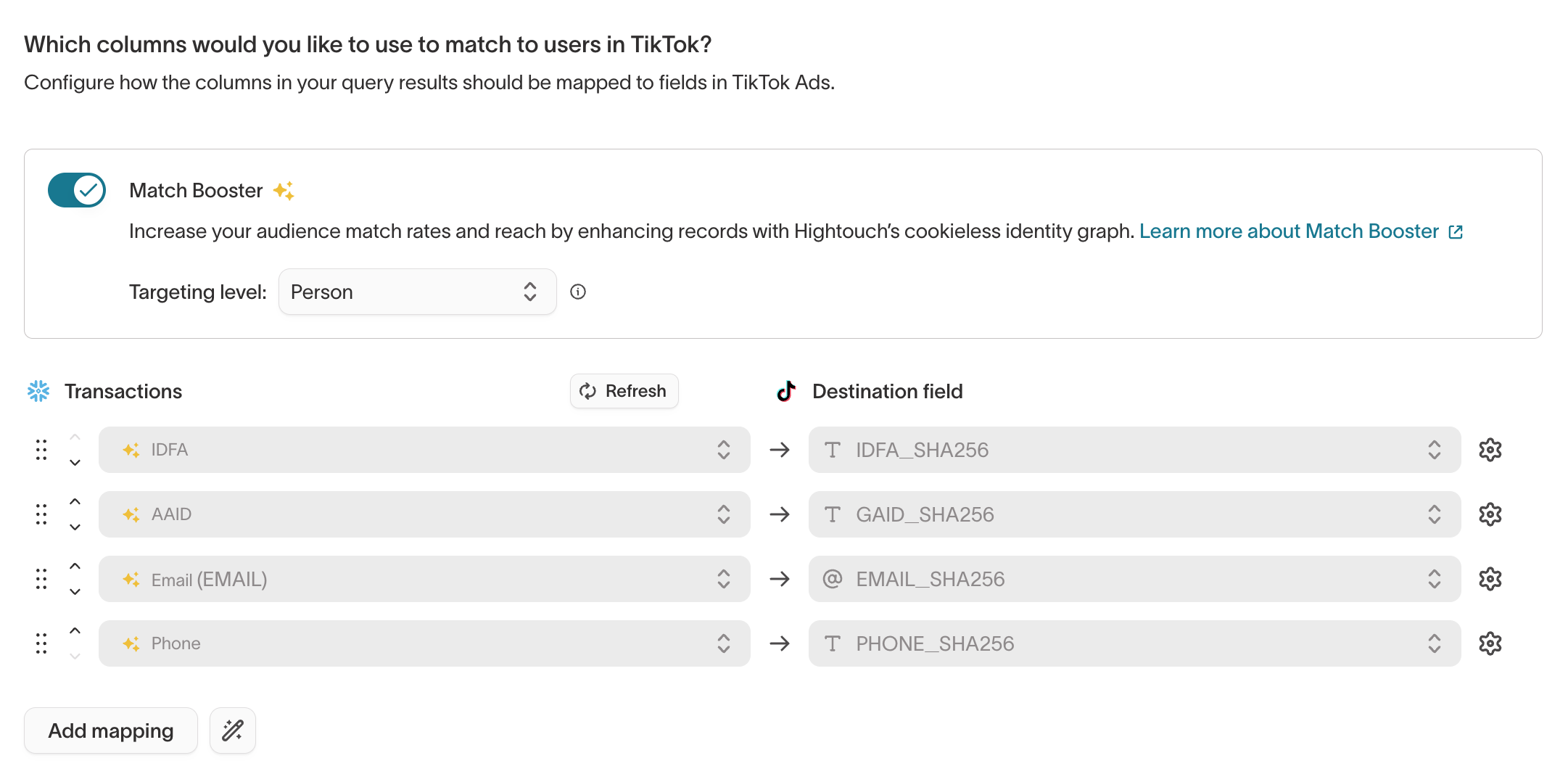
You do not need to manually map enriched Match Booster fields. Hightouch automatically sends the appropriate identifiers based on what the destination supports.
If you just enabled Match Booster for the first time, wait for the initial enrichment to complete before running your sync. You can check enrichment status on the model's Match Booster tab.
Choose a targeting level
When you enable Match Booster on a sync, select a targeting level that matches your campaign goals:
| Targeting level | What it does | When to use it |
|---|---|---|
| Person | Targets individuals based on person-level identifier matching. | Default for most campaigns. Use for precision targeting and suppression. |
| Household | Expands targeting to all people and devices at the same residential address. | Use when the product or service is used by the entire household (retail, streaming, automotive, telecom). Requires Household Expansion enabled on the model. |
| CTV | Targets consumers on connected TV devices. | Use for CTV campaigns on Roku, LG, Samsung, and Vizio. Requires CTV Matching enabled on the model. |
Targeting levels cannot be changed after the sync is enabled. To change the targeting level for an audience, create a new sync with the same configuration and set the targeting level before activating it.
See Targeting levels for detailed guidance on person-level versus household-level matching.
Monitor match rates
Hightouch surfaces match rates for syncs to paid advertising destinations, whether or not Match Booster is enabled.
To view match rates for a sync:
- Go to Activation > Syncs.
- Select the sync you want to review.
- Open the Overview tab.
- In the right-hand panel, find Matched users and click See details.
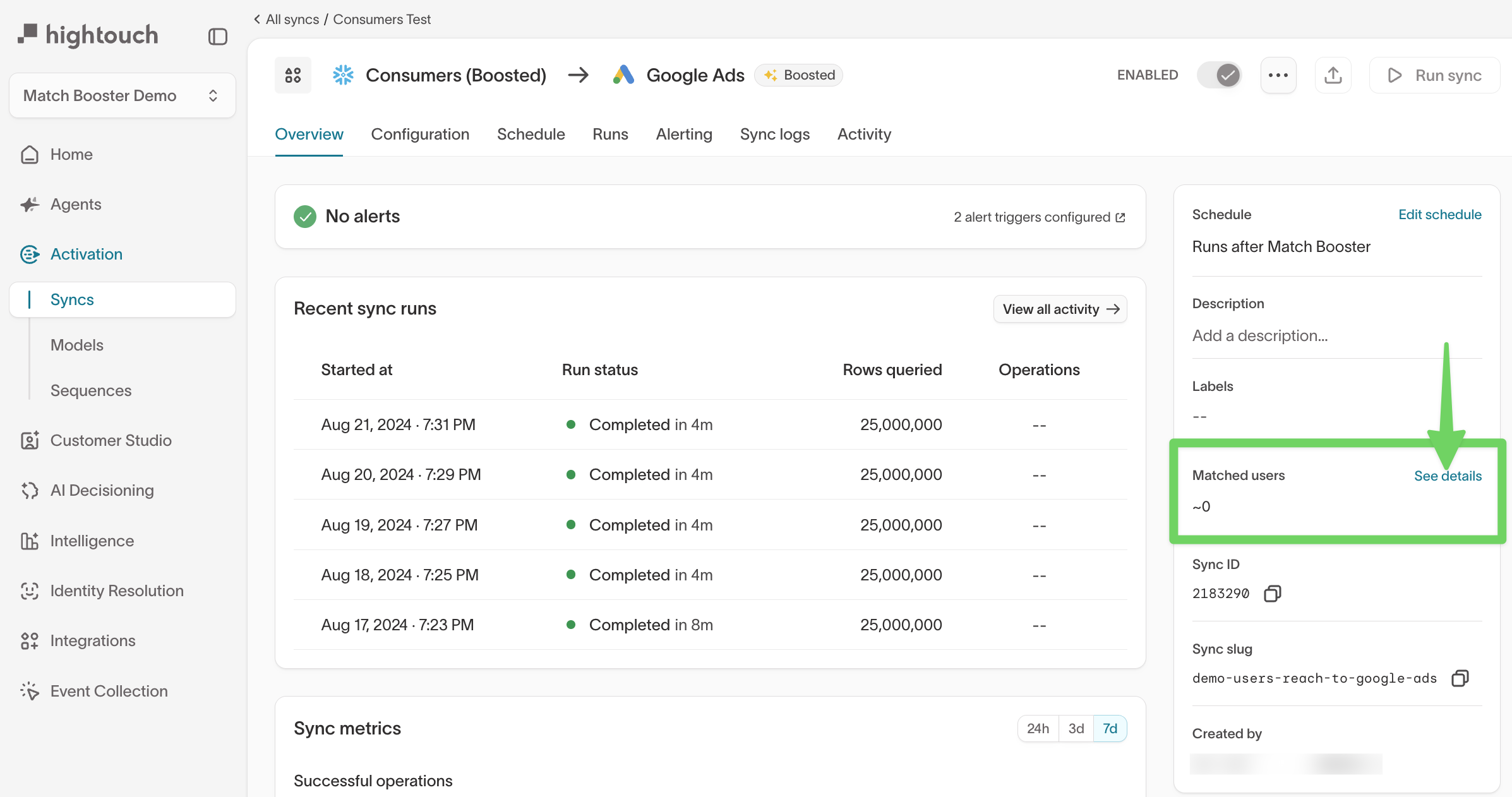
The details panel shows:
- Audience health status and monitoring state
- Number of matched users in the ad platform audience
- A link to view your audience directly in the ad platform
Match rates can take up to 48 hours to stabilize after the initial sync, depending on the ad platform. Allow time for results to settle before evaluating performance.
If Match Booster isn't sending identifiers
If a sync isn't sending enriched identifiers, check:
- The destination isn't supported. The Match Booster toggle only appears on syncs to supported destinations.
- The model isn't enriched. Match Booster must be configured on the model before you can enable it on a sync.
- Enrichment hasn't finished. Match Booster enriches the model on a schedule, and the first enrichment can take up to 72 hours. Confirm it has completed on the model's Match Booster tab before running the sync.