| Audience | Marketers and data teams |
| Prerequisites |
|
Lookalike audiences let you find users who are similar to a high-value segment — without requiring a specific conversion event or time window — so you can expand your reach to the people most likely to engage.
Overview
Predictive traits like purchase propensity require you to define a specific outcome event and prediction window. Lookalike audiences take a different approach: instead of predicting a future action, they measure how similar each user is to the users in a source audience you define.
This is useful when you want to expand a proven segment — such as your highest-LTV customers, most engaged subscribers, or users who completed a multi-step onboarding — without needing to identify the exact event that makes them valuable.
Lookalike audiences are part of the predictive traits suite. They reuse the same predictive inputs (user properties and key events) and are exposed as traits in the audience builder.
How it works
When you create a lookalike audience trait, Hightouch:
- Analyzes the users in your source audience to build a profile of their shared characteristics using your configured predictive inputs.
- Scores every user in the match pool (all users in your parent model, or a filtered subset) based on how closely they resemble that profile.
- Returns a similarity percentile for each user, where higher percentiles indicate greater similarity to the source audience.
The result is a trait you can use like any other — filter on it in audience definitions, sync it to destinations, or combine it with other conditions.
Use cases
- Expand proven segments — Create a lookalike trait using your top-LTV audience as the source audience, filter for the top 10% similarity percentile in a new audience, and sync that audience to ad platforms for prospecting campaigns that mirror your best customers.
- Prospecting without conversion data — Use a well-defined audience (for example, "engaged enterprise users") as the source audience for a lookalike trait, then build an audience of similar users to target with outreach — no single conversion event required.
- Cross-sell targeting — Set buyers of one product line as the source audience, create a lookalike trait, and build an audience of high-similarity users who haven't purchased that line yet to sync to an ESP for cross-sell email campaigns.
- Re-engagement — Create a lookalike trait based on your most active users, then build an audience of high-similarity but low-activity users and sync them to a push notification or email destination for re-engagement.
Create a lookalike audience trait
To create a lookalike audience trait:
- Go to Customer Studio > Traits.
- Select Create > New trait.
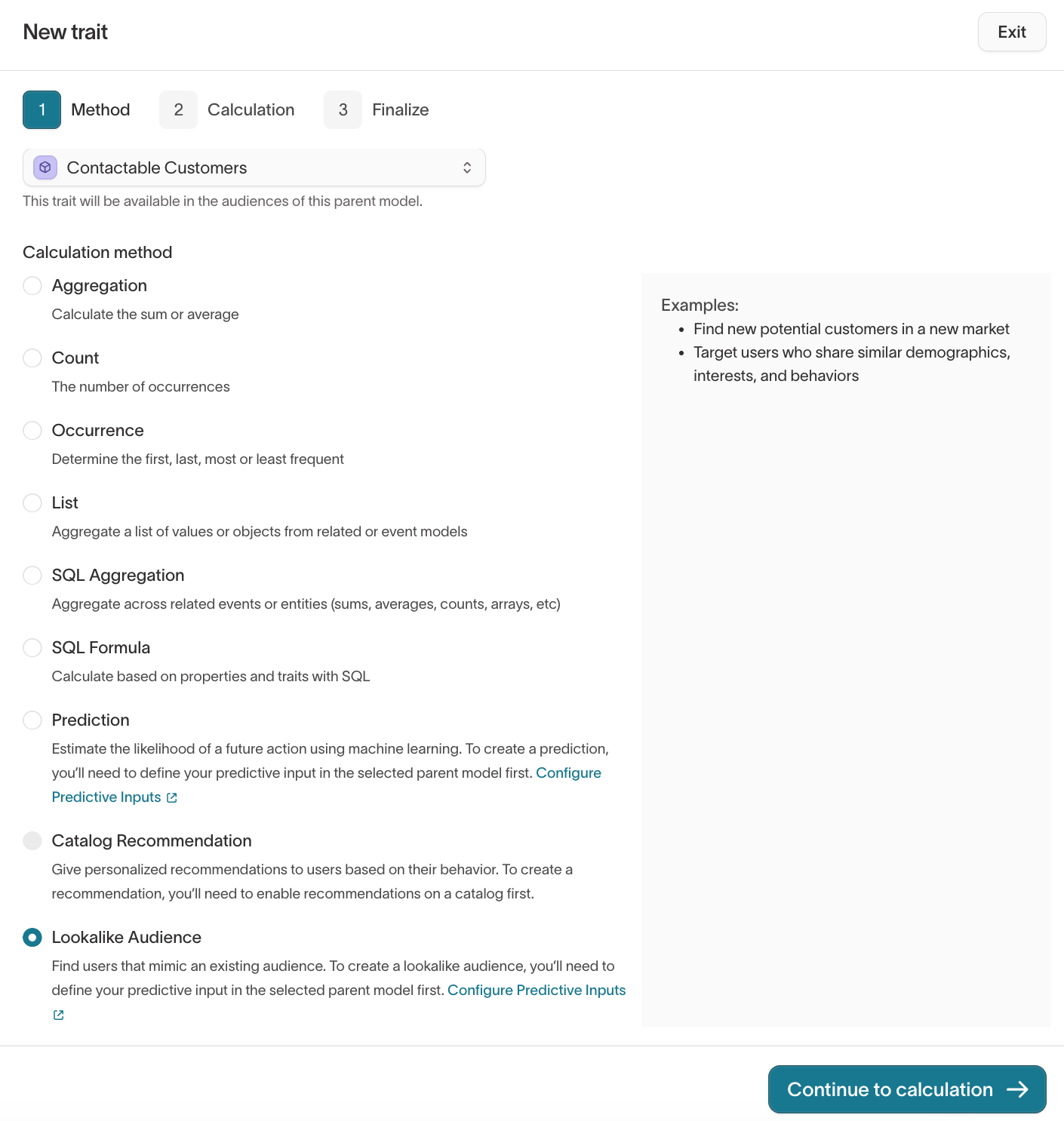
- In the Method step, select a parent model (for example,
Users). - Under Calculation method, select Lookalike Audience.
- Click Continue.
- In the Calculation step, select the audience you want to mimic. This is the source audience — the group of users the model will use as the reference profile. Choose a well-defined audience that represents the type of user you want to find more of.
- (Optional) Add filters to restrict the match pool to specific users. For example, you might filter to users where
device = desktopor limit scoring to a specific region. - Set the update schedule to control how often the model retrains and refreshes similarity scores.
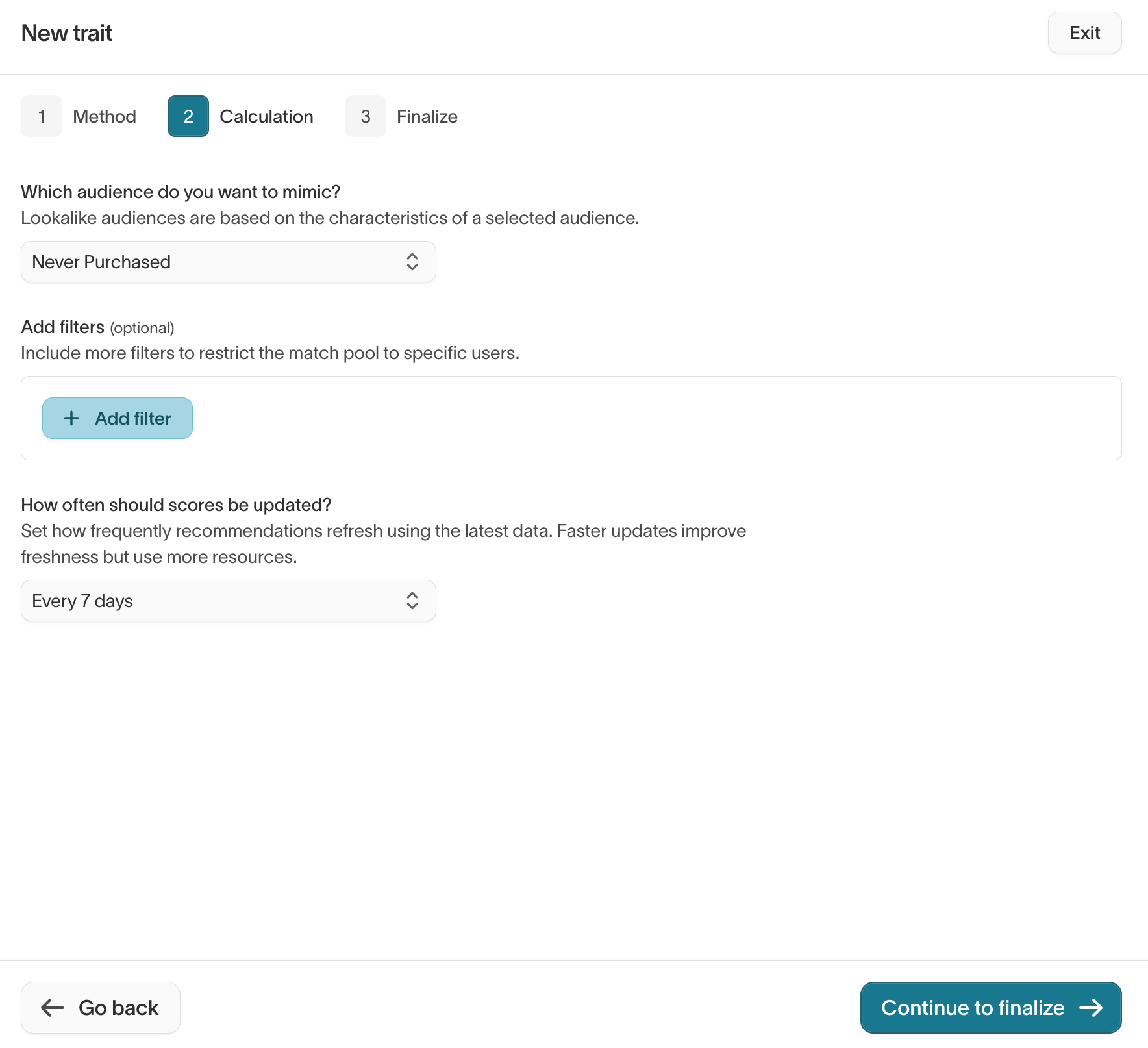
- Click Continue to finalize. In the Finalize step, name your trait, optionally add a description, review the calculation summary, and click Create trait.
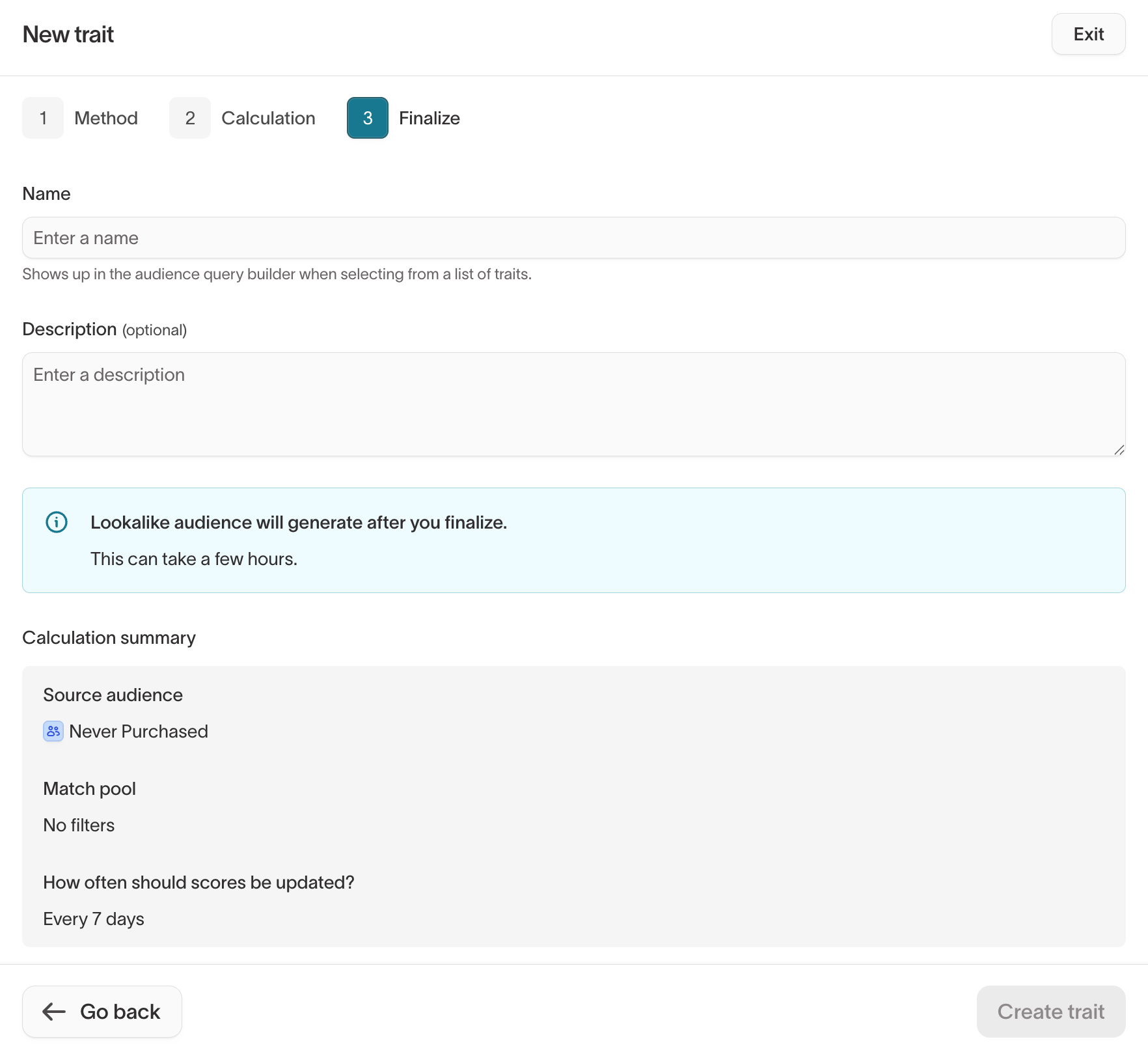
The model trains using your configured predictive inputs and generates a similarity percentile for each user. Training time varies based on the size of your data.
Choose a source audience that is well-defined and large enough for the model to learn meaningful patterns. Very small source audiences (under a few hundred users) may produce less reliable similarity scores.
Analyze lookalike results
After the model finishes training, the Prediction analysis tab on the trait detail page shows how well the model distinguishes source audience users from the rest of the match pool.
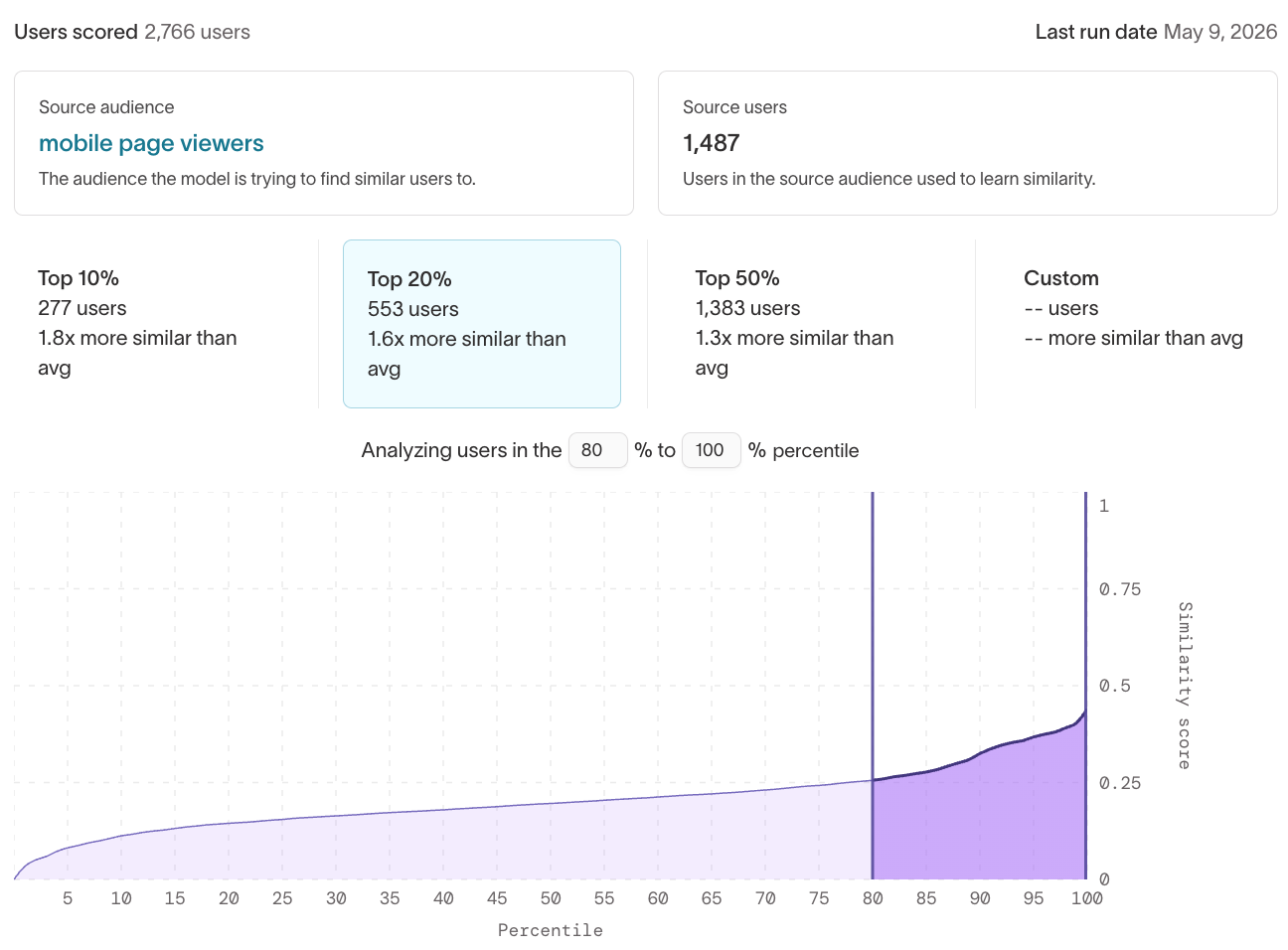
The analysis page displays the total number of users scored, the source audience name and size, and the last run date. Below these stats, you can explore results at different similarity thresholds.
Percentile buckets
The analysis page shows preset similarity buckets — Top 10%, Top 20%, and Top 50% — along with a Custom option. Each bucket displays the number of users in that tier and how much more similar they are to the source audience compared to the average user. Use these to gauge how concentrated similarity is at the top of the distribution.
Similarity score chart
A chart plots each user's similarity score against their percentile ranking. You can adjust the percentile range to focus on a specific slice of users — for example, the 80th to 100th percentile — to understand how scores are distributed among your highest-similarity users.
AUC
AUC (Area Under the Curve) measures how well the model separates source audience users from the match pool. It is computed on a held-out test split. A score closer to 100% indicates stronger separation.
Evaluation metrics
The evaluation metrics table shows Precision, Recall, and Lift at multiple cutoff thresholds (Top 0.1%, Top 1%, Top 5%, Top 10%, Top 25%). These metrics are computed on a held-out test split where a sample of the source audience is mixed into the match pool.
- Precision — Of the top N% most similar users, the fraction that are in the heldout source audience.
- Recall — Of all heldout source audience users, the fraction that appear in the top N% most similar users.
- Lift — How much more likely the top N% of users are to be in the heldout source audience compared to random selection.
Use lookalike traits in audiences
After the model finishes training, the lookalike trait appears in the Traits list and can be used like any other trait.
- Go to Customer Studio > Audiences and create a new audience.
- Add a filter using your lookalike audience trait.
- Set a percentile threshold to control how similar users must be to qualify. For example, filtering for the top 10% returns users who most closely resemble your source audience.
- (Optional) Combine the lookalike filter with other conditions — demographics, behavioral traits, or other predictive traits — to further refine the audience.
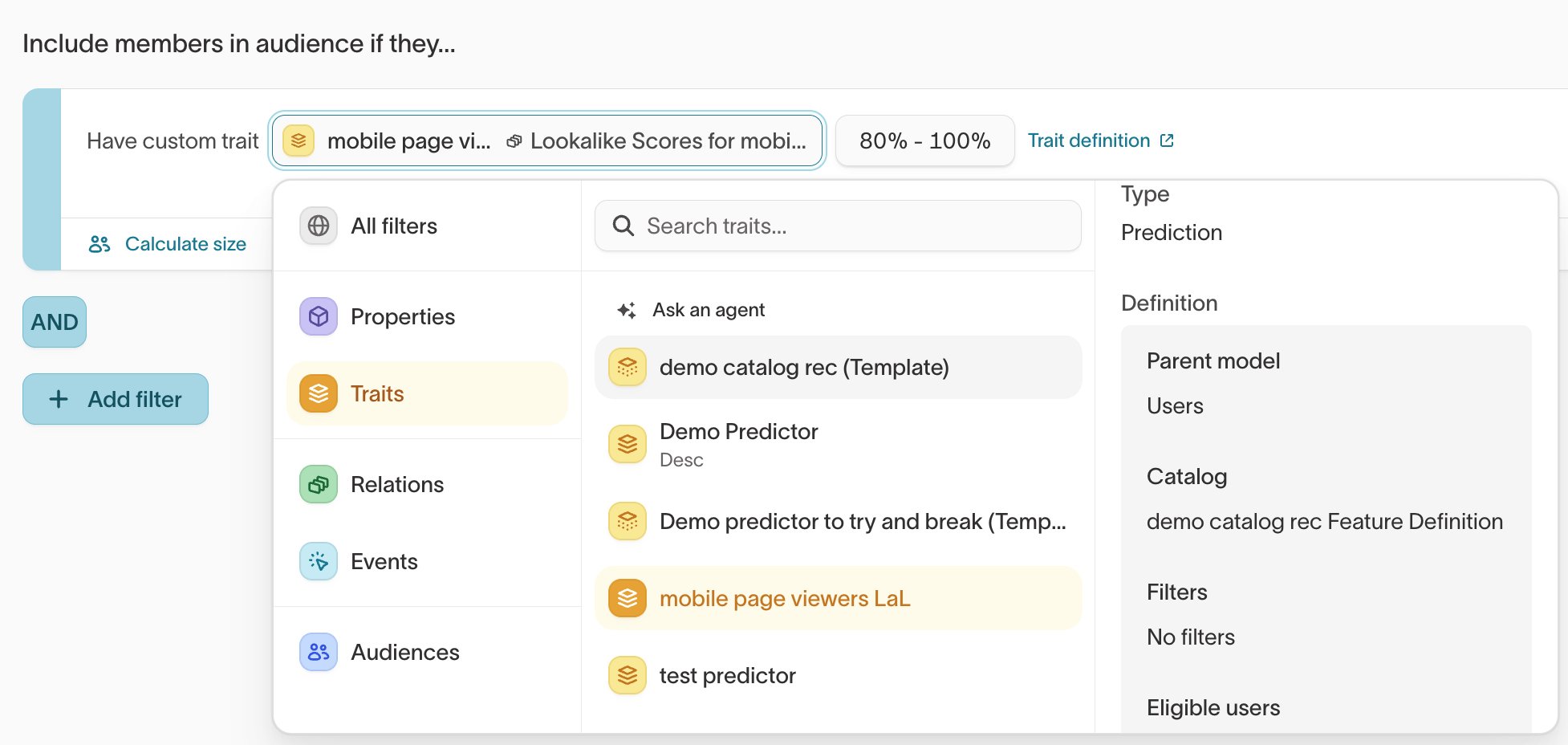
Once defined, you can sync the audience to any connected destination for activation: ad platforms, ESPs, CRMs, or any other tool in your stack.
Lookalike similarity scores update on a schedule. Between updates, new users or behavior changes won't be reflected until the next model run.
Native vs. ad-platform lookalikes
Many ad platforms (Meta, Google, and others) offer their own lookalike or similar-audience features. Hightouch's native lookalike audiences complement these by giving you more control:
| Native lookalikes (Hightouch) | Ad-platform lookalikes | |
|---|---|---|
| Data used | All user properties and behavioral events in your warehouse | Only data the platform has collected |
| Where usable | Any destination — ads, email, CRM, push, and more | Only within that ad platform |
| Transparency | You control the source audience, see similarity scores, and can combine with other filters | Platform controls the algorithm; limited visibility into how similarity is determined |
| Cross-channel | Same lookalike audience can be synced everywhere | Must be rebuilt per platform |
You can use both approaches together: build a refined seed audience in Hightouch using native lookalike scores, then sync that seed to an ad platform to create a platform-native lookalike on top.
Next steps
- Build an audience to filter on a similarity percentile in the visual builder.
- Sync audiences to send a high-similarity audience to ad platforms and other destinations.
- Predictive traits to score the likelihood of a specific future action instead of overall similarity.
- Catalog recommendations to rank the top items from a catalog for each user.