Monitoring and alerts help your team find, diagnose, and fix issues in your event tracking setup before they affect downstream data. This applies to any Events implementation, whether you're building fresh or migrating from another tool.
Hightouch has three features that help engineering and analytics teams manage event collection and activation:
- Per-source volume graph
- In-app debugger
- Per-sync configurable alerts
The examples below show how to use each one.
Monitor event volume
Teams can get a quick overview of event volume over time with Hightouch's built-in visualization. Each event source page shows a graph of event volume at 1, 3, and 7 day time periods.
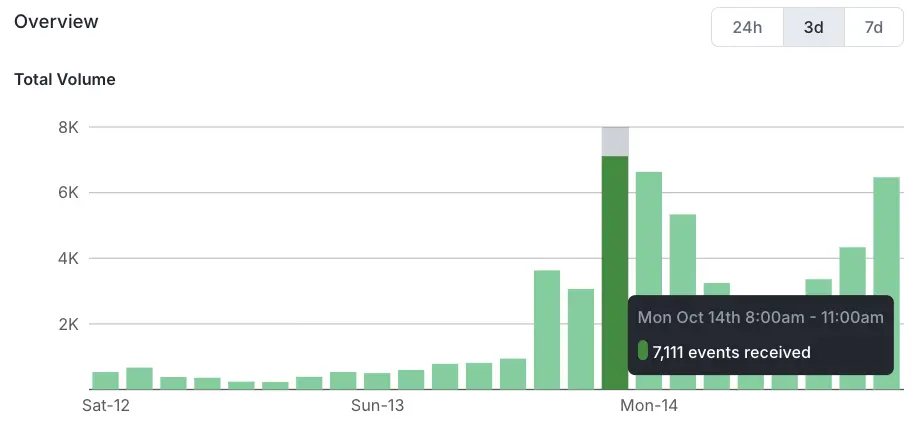
This visual representation helps you quickly identify unusual spikes or drops in event volume, which could indicate issues with data collection or unexpected changes in user behavior.
Manual checks are useful during setup, but most teams should also configure automated alerts for noticeable drops in event volume.
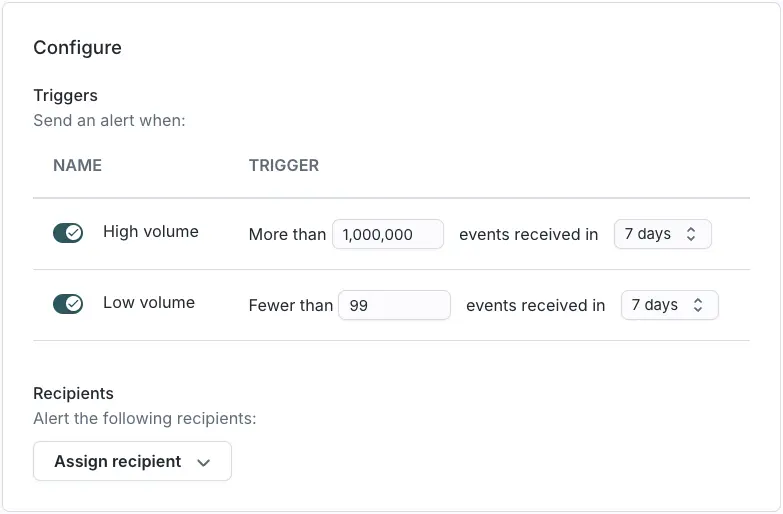
Events uses Hightouch's configurable alerting system in conjunction with event-specific triggers to send messages by email, SMS, Slack, or PagerDuty. You can configure an alert so that a team member or Slack channel is notified when event traffic drops below a particular level, so your team can investigate quickly.
Detect event violations
Hightouch also supports alerting based on your event contracts. Contracts can send invalid events to a violations table in your warehouse. That sync to the warehouse can send an alert when violations exceed a threshold in a given time period for particular types of violations.
To understand a particular set of violations, use the debugger on each event source. The debugger lets you inspect individual events and their data to see why they failed schema or contract checks. This event-level view complements volume monitoring and gives teams the detail they need to fix errors.
Alert on sync issues
Hightouch supports row and sync-level alerting for reverse ETL syncs, and treats event syncs the same way. You can set up alerts for an elevated row rejection rate, such as a percentage of rows failing during a sync to your warehouse. You can also be notified when a series of consecutive syncs fails with fatal errors. Both alerts let your engineering and analytics teams investigate and fix sync errors quickly.
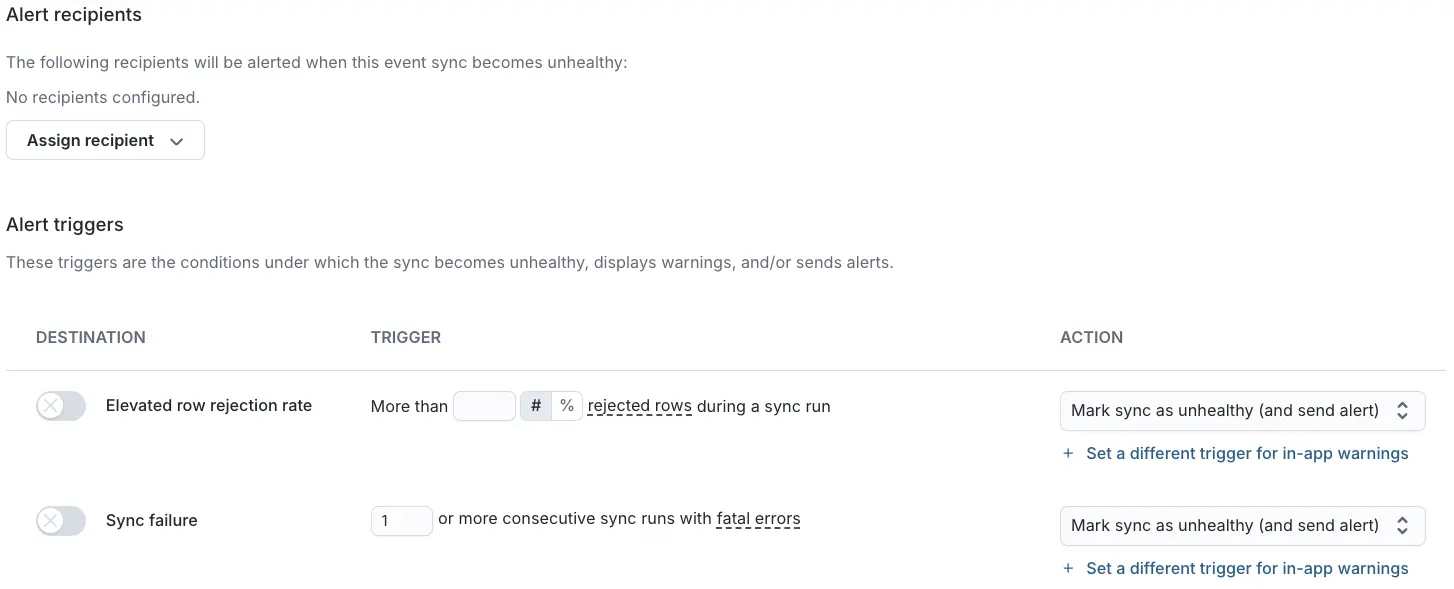
Some advanced alerting capabilities may require enablement for your workspace. If you don't see the event-specific alert triggers described here, to enable them.
Review and maintain regularly
Automated monitoring and alerts catch most issues, but regular human review still matters. Review data quality monthly or quarterly, and update contracts as you add new events or properties to your tracking plan.
Hightouch's monitoring and alerts help you maintain data quality and spot changes in your collection process and user behavior over time.