| Audience | Marketers and analytics/data engineers |
| Prerequisites |
|
Predictive traits use machine learning to score how likely each user is to take a future action, so you can target people by what they're about to do, not just what they've already done.
Overview
When defining audiences, you sometimes want to act on signals about what customers are likely to do next, not just what they have already done.
Predictive traits extend Customer Studio traits with AI-powered scores that estimate the likelihood of a future action — or the value that action will produce.
For example:
- Purchase propensity: probability that a user will make a purchase within the next 7 days
- Cart completion propensity: probability that a user who started checkout will complete their purchase
- Churn prediction: probability that a user will stop performing a key event (such as a purchase or login) within a given timeframe
- Predicted value: the revenue a user is expected to generate within a given timeframe
Predictive traits are refreshed automatically on a schedule so your campaigns always use the latest predictions.
The predictive traits suite also includes catalog recommendations for personalized item-level recommendations and lookalike audiences for finding users similar to your best segments.
Predictive traits are built on the same machine learning models used in Hightouch AI Decisioning. They are automatically trained on your historical event data and do not require custom ML expertise.
Configure predictive inputs
Before you create a predictive trait, you must define predictive inputs in your schema. Predictive inputs are the user properties and event data that models use for training and scoring.
To configure predictive inputs:
- Go to Customer Studio > Schema.
- Select your parent model (for example,
Users). - Open the Predictive Inputs tab.
- Under User Properties, select the columns from this model that can help identify patterns — for example,
age,country,device,plan_tier. - Under Key events, add the event models that are relevant to the prediction target. Events must have a primary key configured to be available for selection.
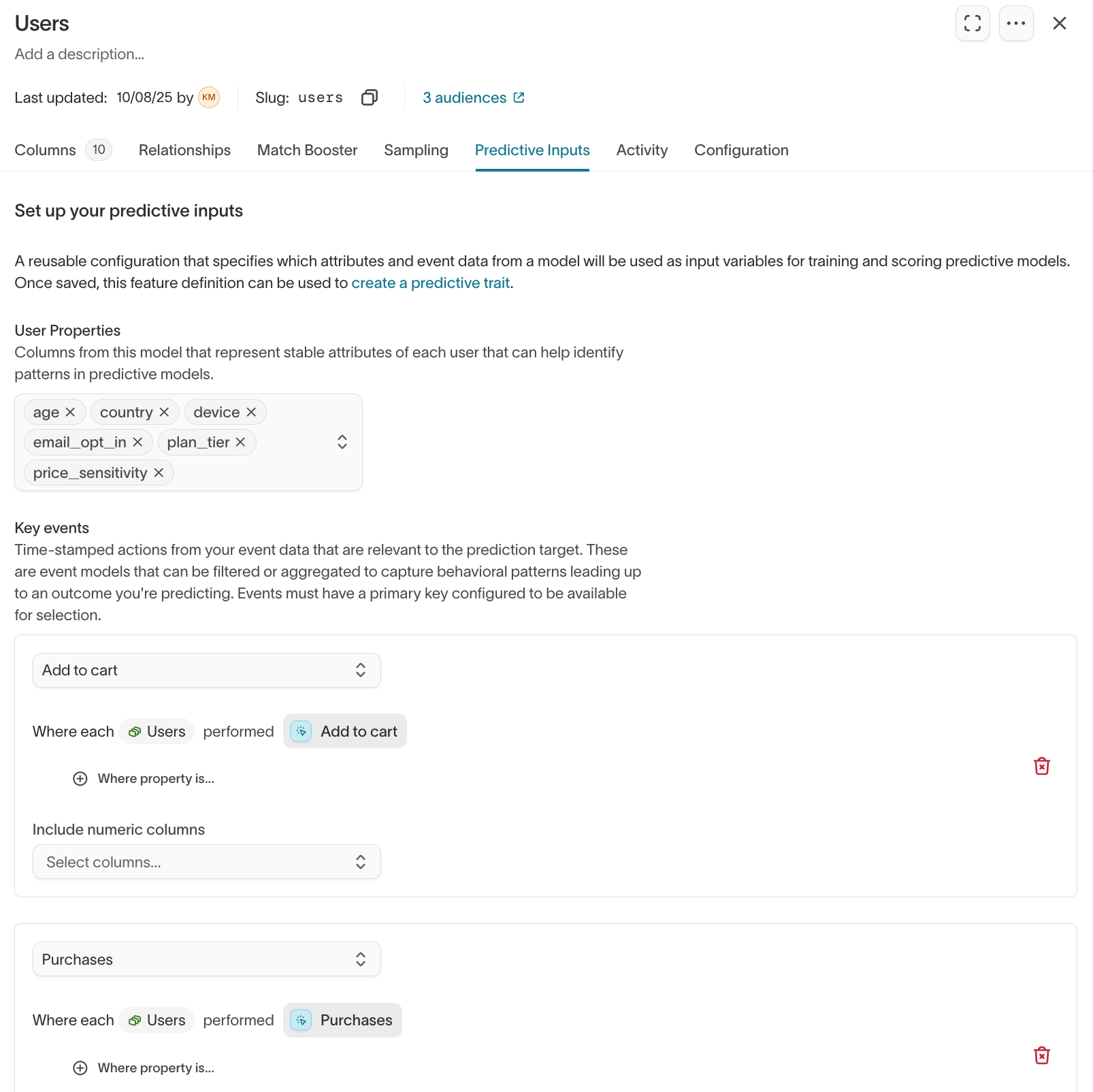
Once saved, these inputs are reusable across multiple predictive traits, catalog recommendations, and lookalike audiences.
Create a predictive trait
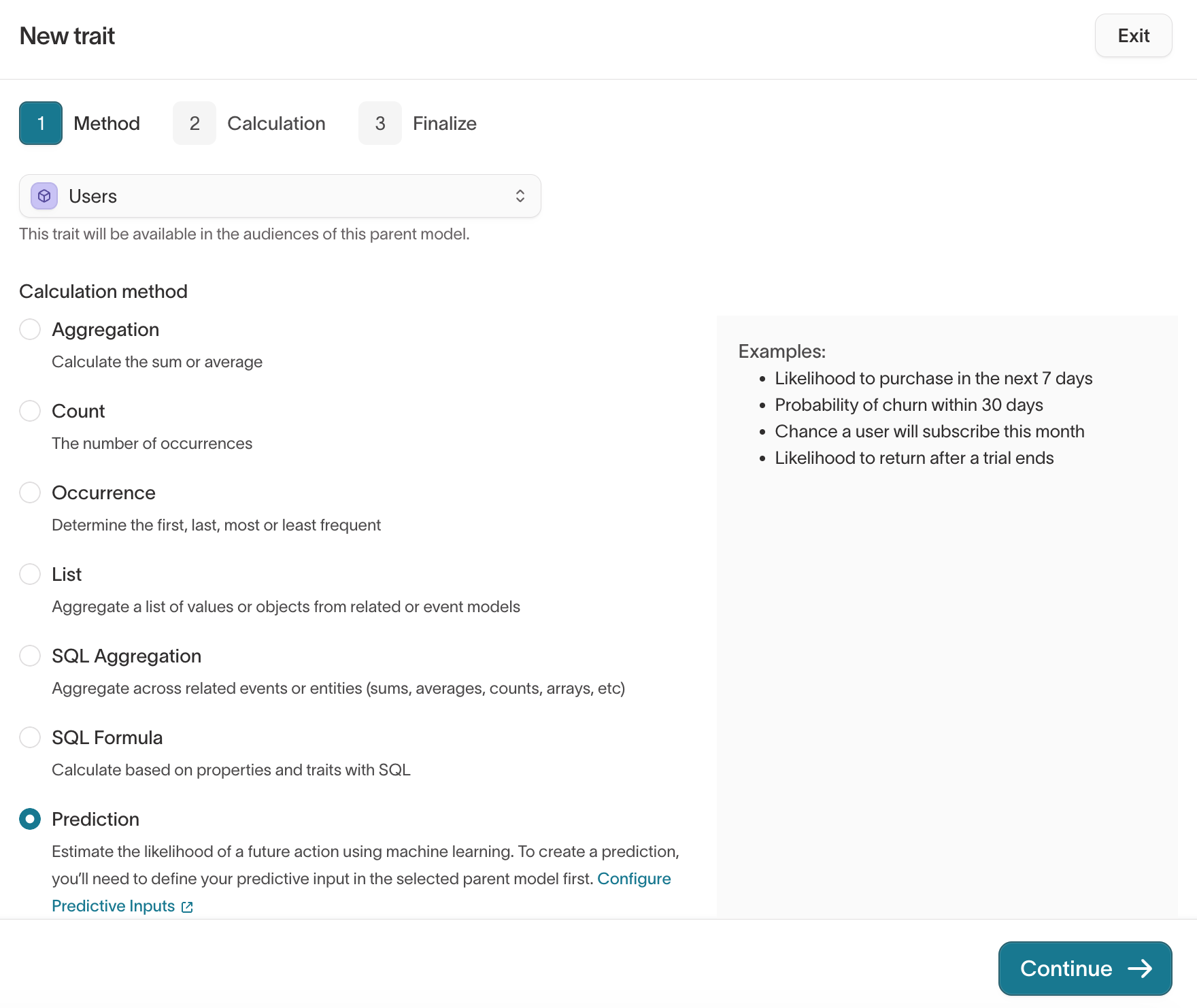
- Go to Customer Studio > Traits.
- Select Create > New trait.
- In the Method step, select the Model you want to score (your parent model, for example
Users), then choose Prediction as the calculation method. Click Continue.
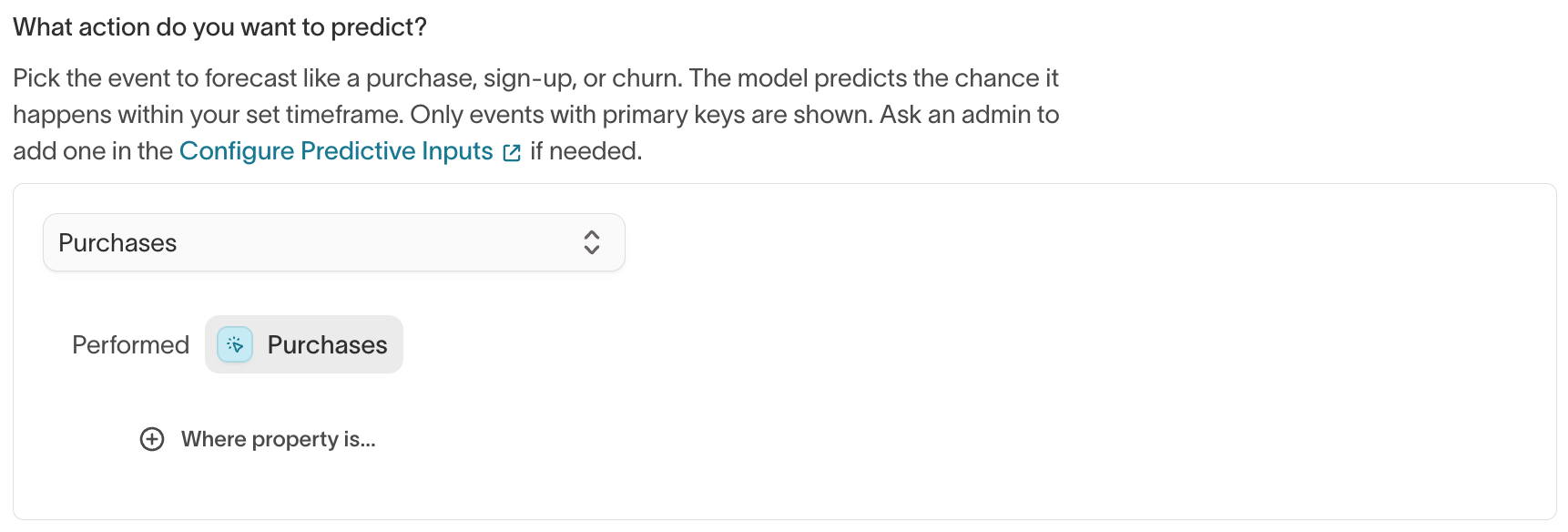
- In the Calculation step, under What action do you want to predict?, select the event to forecast (for example,
Purchases). Only events configured as predictive inputs, with a primary key, appear here.
-
Under What kind of prediction is this?, choose the type of score. The timeframe control below adapts to the type you pick.
Prediction type What it scores Timeframe Likelihood of event How likely each user is to perform the event Event performed within the next N days Likelihood of churn How likely each user is to stop performing the event Churned after no events for N days Value of event A numeric value from the event, such as total revenue Value predicted over the next N days For Value of event, also choose the aggregation and numeric property to predict — for example, the sum of
PURCHASE_VALUE.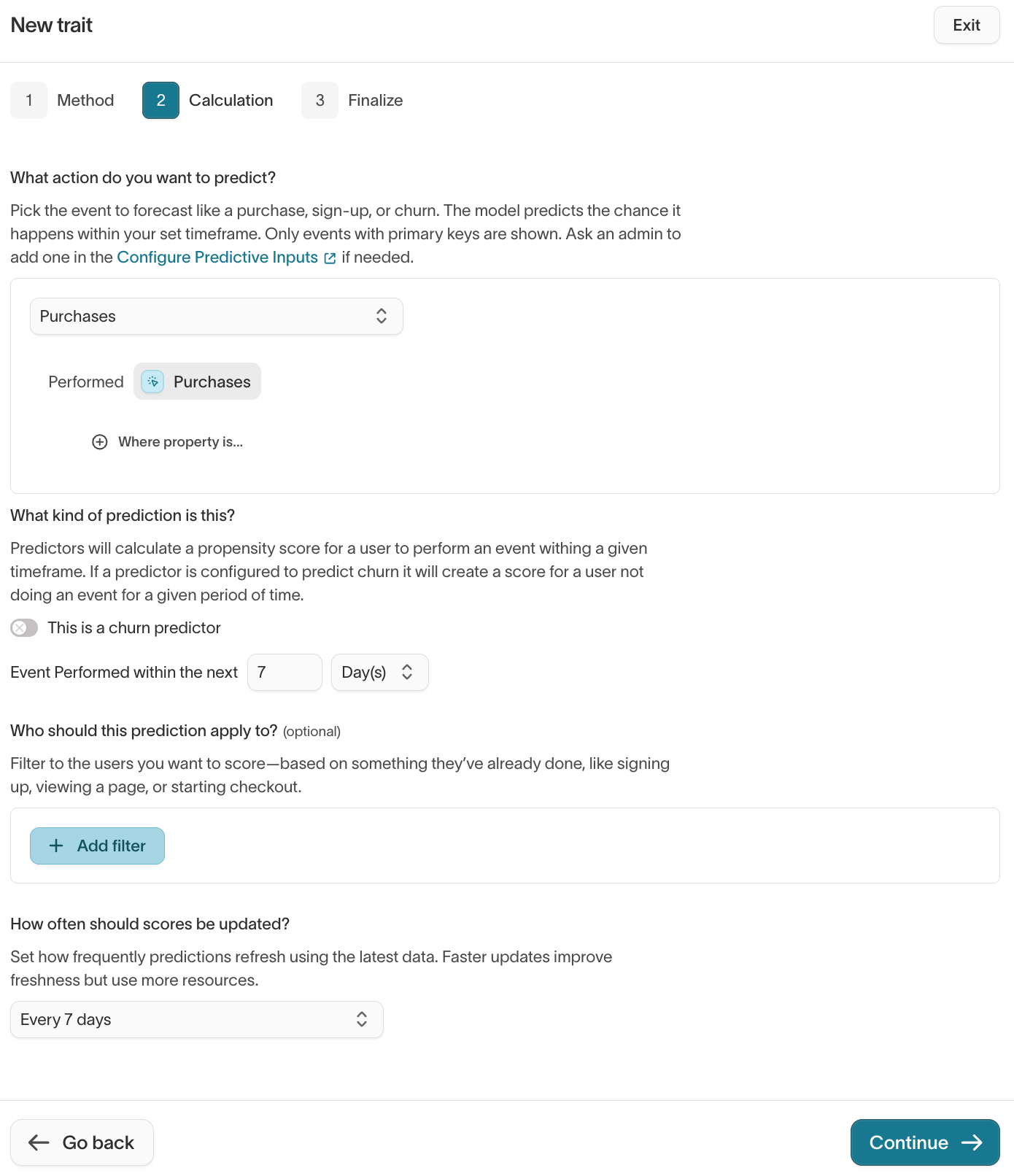
-
(Optional) Under Who should this prediction apply to?, add filters to score only certain users — for example, people who have already signed up or started checkout.
-
Under How often should scores be updated?, set the refresh cadence, then click Continue. More frequent updates keep scores fresh but use more warehouse resources.
-
In the Finalize step, name the trait, optionally add a description, review the calculation summary, and click Create trait.
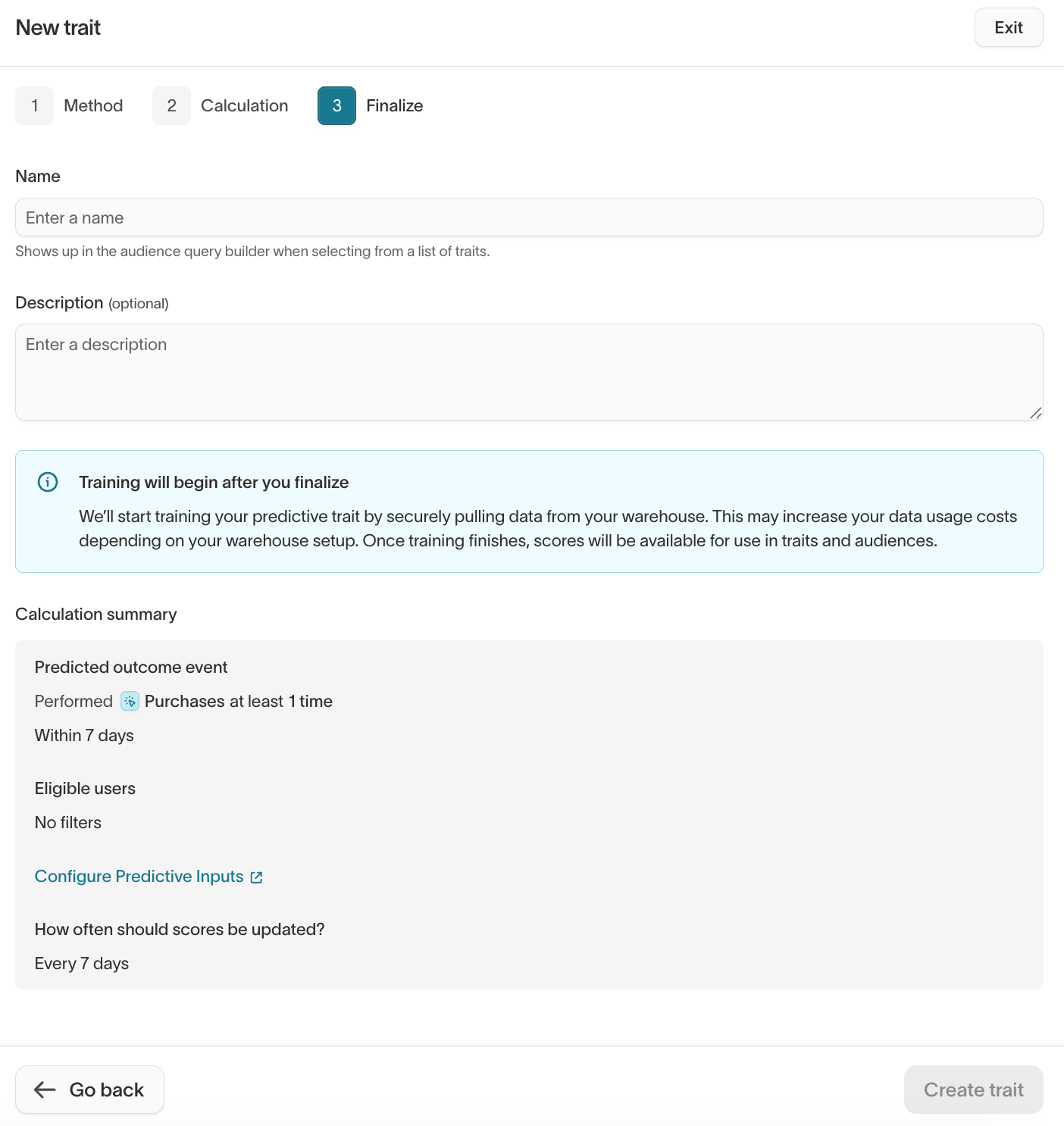
Hightouch trains a model on your data and generates a score for each user. Training runs in three phases — prepare data, train model, run inference — and typically takes several hours, depending on warehouse size and data volume.
View and use predictive traits
After training completes, predictive traits appear in the Traits list with type Prediction.
You can:
- Preview results in the trait details page
- Use in audiences by filtering on score thresholds or percentile ranges
- Sync predictions to destinations such as ad platforms, ESPs, or CRMs for activation
Analyze predictions
After training finishes, open the Prediction analysis tab on the trait to see how well the model performs. It reports the number of users scored and the last run date, and every metric is measured on a held-out sample the model never saw during training.
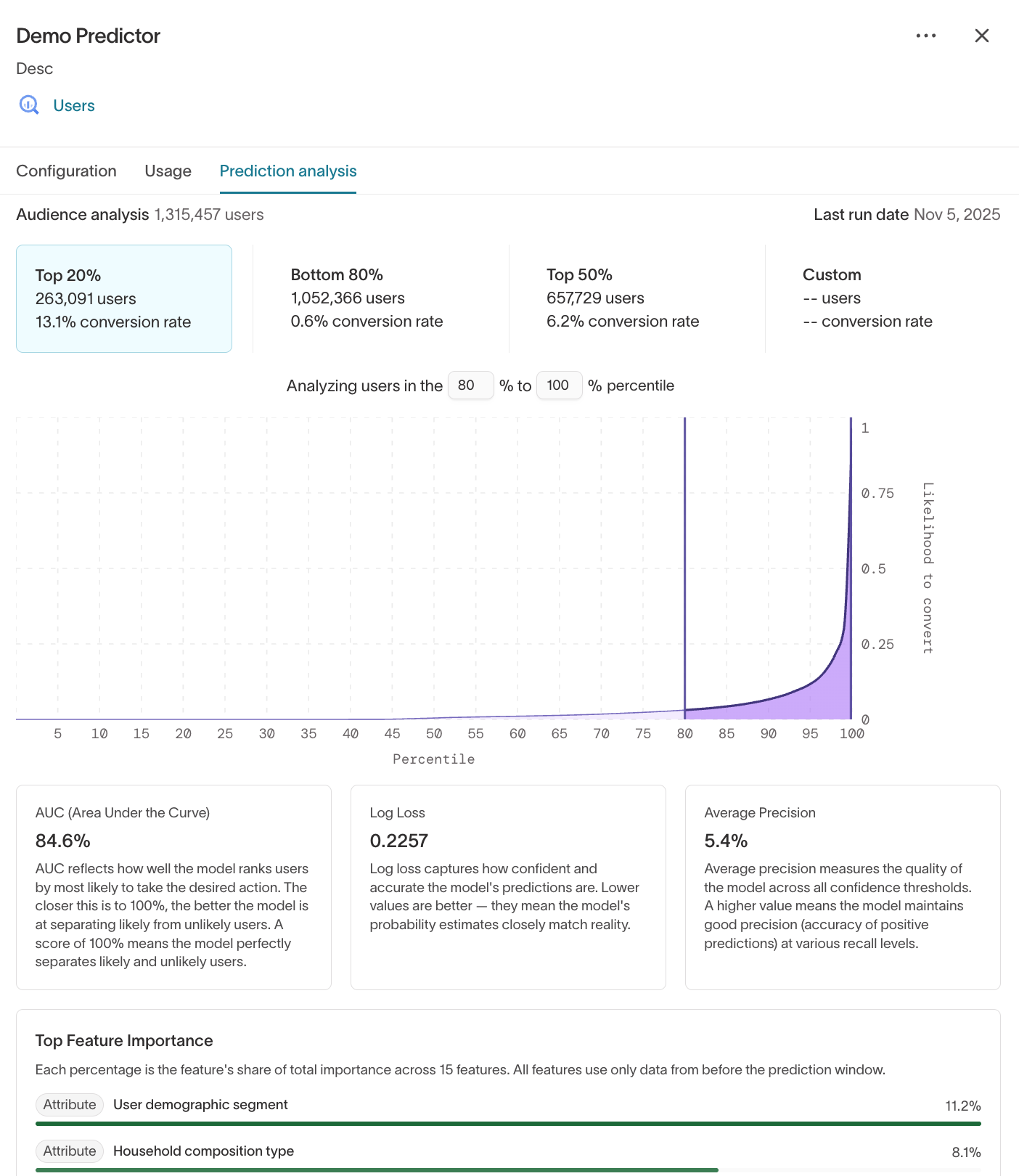
Cumulative gains
The cumulative gains curve ranks every user by how likely they are to convert, then plots the share of all converters you reach as you target more of that ranked list. The steeper the curve climbs above the diagonal — which represents random targeting — the more converters you reach by targeting a small, high-scoring slice of the audience.
Precision vs. random
This compares how concentrated the model's high scores are among users who actually converted against random ranking, and reports the lift — how many times better than random the model is at pushing real converters toward the top. Higher lift means a sharper model.
Predicted vs. actual conversion rate
Each pair of bars represents one tenth of the audience, ordered by model score. Comparing the predicted conversion rate against the rate that actually happened shows whether the scores are well calibrated: the two bars in each decile should sit close together.
Top feature importance
This ranks the user properties and events that contribute most to the model's scores, each as a share of total importance. Use it to confirm the model is learning from signals you'd expect.
Use percentile ranges to build high-value segments. For example, create an audience of "Top 20% purchase propensity" users and sync them to ad channels for efficient spend.
Use predictive traits in audiences
You can use predictive traits when defining audiences the same way you use other traits.
- Go to Customer Studio > Audiences and click Add audience.
- In the audience definition, select a trait.
- Set the score range or percentile range you want to include (for example, 80–100%).
- (Optional) Combine the predictive filter with other attributes, such as
country = USorplan_type = paid.
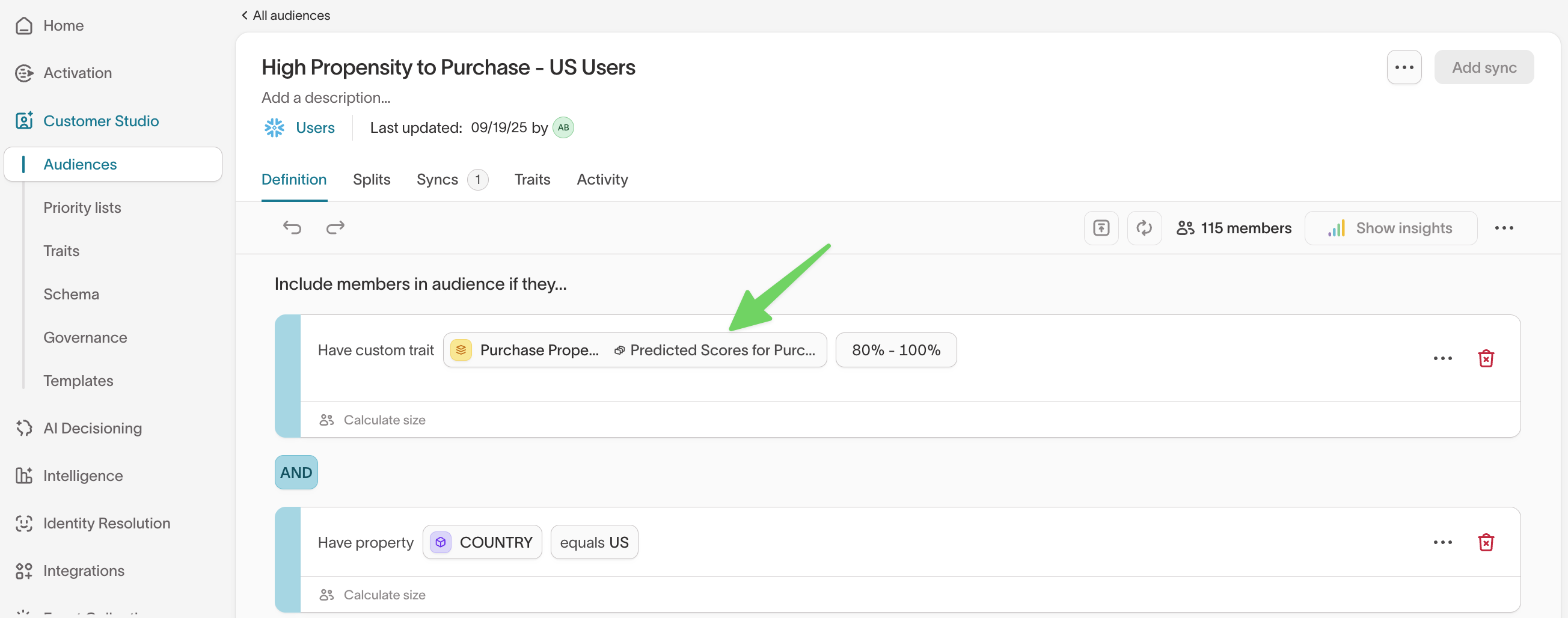
Predictive traits can be layered with demographic or behavioral conditions, giving you highly targeted segments. For example:
- High propensity to purchase + specific geography (US, Canada)
- Cart completion propensity + recent site activity (visited in the last 7 days)
Predictive traits update on a schedule. Between updates, some people may
complete the action you're predicting (like making a purchase), but their
score won't change until the next update. To keep your audience focused on
people who haven't yet acted, add a filter that excludes people who have
already performed the predicted event (for example, Purchases = 0 or
Purchases (in last 7 days) = 0). Your campaign then includes only users who
are still likely to take action.
Sync predictive audiences
Once you define an audience with predictive traits, you can sync it to any connected destination the same way you sync other audiences.
For example, you might sync:
- High purchase propensity users to Google Ads or Meta Ads for paid acquisition
- High cart completion propensity users to an ESP for checkout reminder emails
When syncing, predictive scores are included alongside user attributes so downstream tools can use them directly.
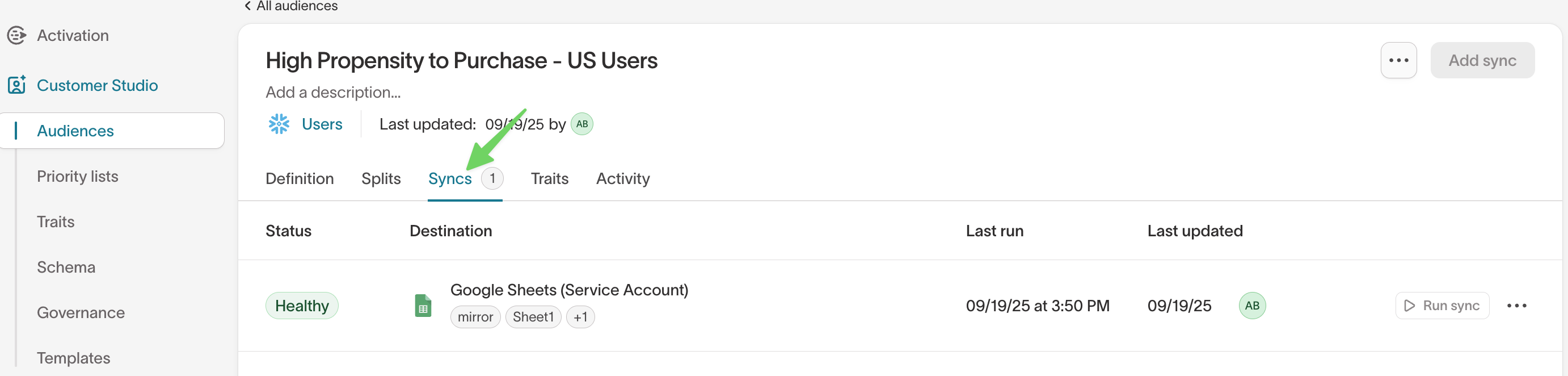
After syncs run, you can monitor performance and health in the Syncs > Overview tab.
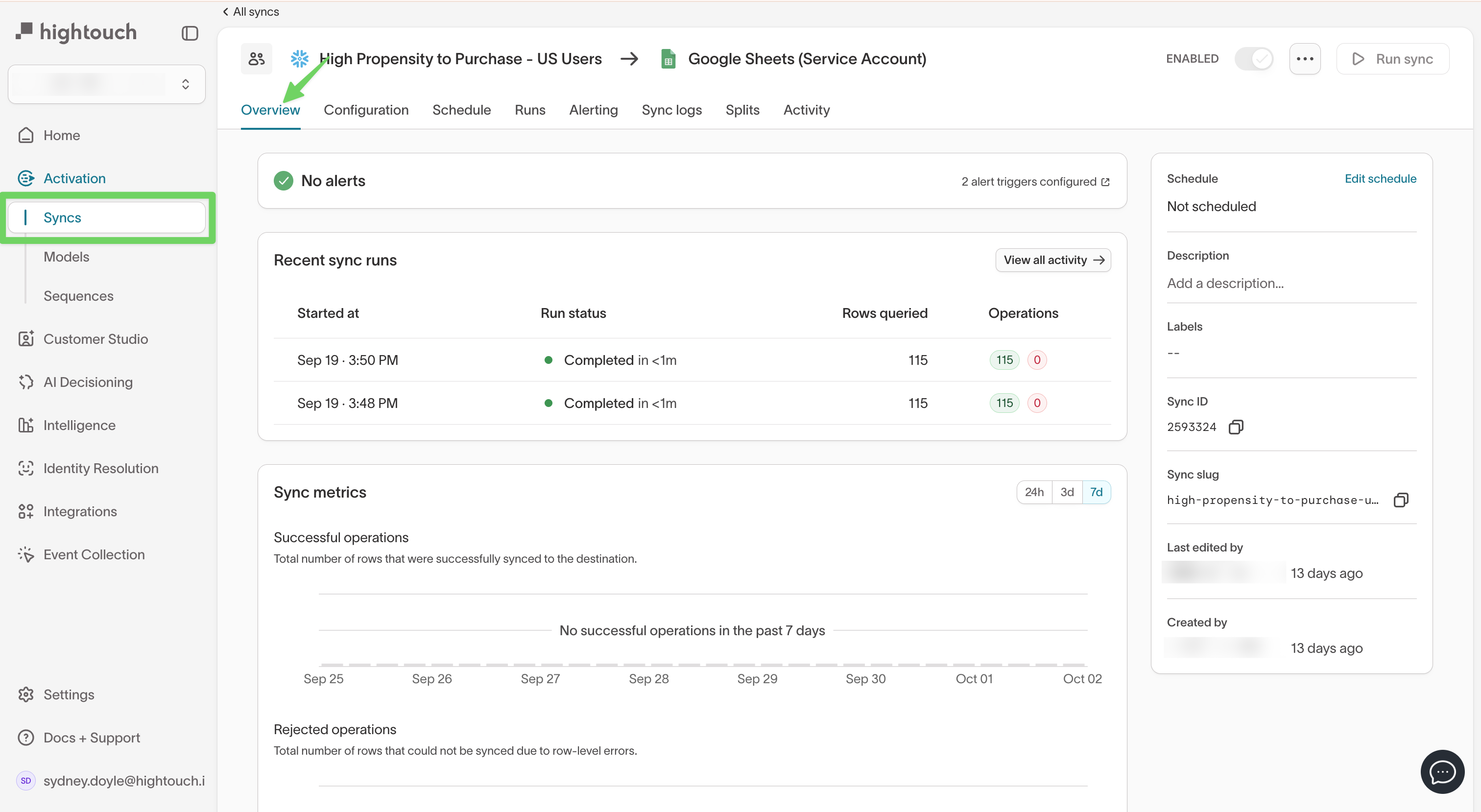
You don't need to configure anything special for predictive traits when syncing. They behave like any other trait and can be mapped directly to destination fields.
Troubleshooting
If a predictive trait run fails, Hightouch assigns an error code that identifies the cause. The table below covers all predictive trait error codes. For a complete reference of all Hightouch error codes, see Error codes.
| Error code | What it means | How to resolve |
|---|---|---|
NO_USERS_IN_INPUT_FILE | The training audience returned no users. | Check that the parent audience or model query returns rows before training starts. |
NO_USER_ROWS_AFTER_FILTERS | Users were present initially, but predictive filters removed all of them. | Loosen the filters or verify that event and property conditions match real data. |
NO_TRAINING_DATA_FILES | Hightouch couldn't generate the training dataset. | Confirm that the configured events return data and the event model is queryable. |
LABEL_FREQUENCY_TOO_LOW | There aren't enough examples of the target outcome to train the model reliably. | Increase the lookback window, reduce filters, or choose a higher-volume outcome event. |
NO_POSITIVE_EXAMPLES | The training data contains zero positive examples of the target event. | Check that the outcome event is occurring for users in scope. |
TRAINING_MATRIX_DOWNLOAD_FAILED | An internal failure occurred while retrieving the training artifact. | Retry the run. If it persists, — this is typically not customer-fixable. |
NO_KEY_EVENTS | No feature-generation events are configured. | Add at least one event input in the predictive trait configuration before retraining. |
EVENT_MODEL_MISCONFIGURED | The event model configuration is invalid. | Confirm the event model exists, has a valid primary key, and includes all referenced columns. |
EVENT_QUERY_FAILED | Hightouch couldn't query event data from the warehouse. | Check warehouse permissions, model SQL, and whether the referenced tables still exist. |
SOURCE_ACCOUNT_LOCKED | The warehouse user account is locked. | Wait for the lockout to clear, or have your warehouse admin re-enable the account. |
UNKNOWN_EVENT_IN_FILTER | A predictive filter references an event Hightouch can't resolve. | Check for renamed, deleted, or misconfigured events in the predictive trait setup. |
INVALID_EVENT_PROPERTY_CONDITION | An event-property filter is malformed. | Verify the filter syntax and confirm you're using valid string property names. |
NO_EVENT_DATA_FILES | No event data was produced for training or inference. | Confirm the configured events have recent data and event pulls are succeeding. |
TRAINING_ERROR | An internal training failure occurred. | Retry once. If it repeats, . |
CACHED_EVENT_PULL_DISABLED | A required event pull is disabled. | Re-enable the event pull in your schema configuration and rerun the predictor. |
MALFORMED_EVENT_DATA | Numeric event fields contain invalid values. | Clean the source data so numeric columns contain only valid numbers (no strings, nulls in numeric-only fields, etc.). |
MODEL_QUERY_FAILED | Hightouch couldn't query the parent model data needed for the run. | Check that the parent model still exists and all referenced columns are present. |
Next steps
- Catalog recommendations to rank the top items from a catalog for each user.
- Lookalike audiences to find users who resemble a high-value segment without defining an outcome event.
- Traits to see how predictive traits sit alongside the other trait types.
- Build an audience to filter on a predictive score in the visual builder.
- Experiments to measure the lift a predictive audience actually drives.