Full resync, reset CDC, and clear and fill are one-off run controls that change how the next run treats your data — they are not sync modes.
| Audience | Data teams recovering or rebuilding a sync's state |
| Prerequisites | A sync that has run at least once. |
Each of these actions is high-risk in a different way, so choose based on what you need to happen on the next run. All three run from the sync's ... menu — click Resync or reset... and pick an option.
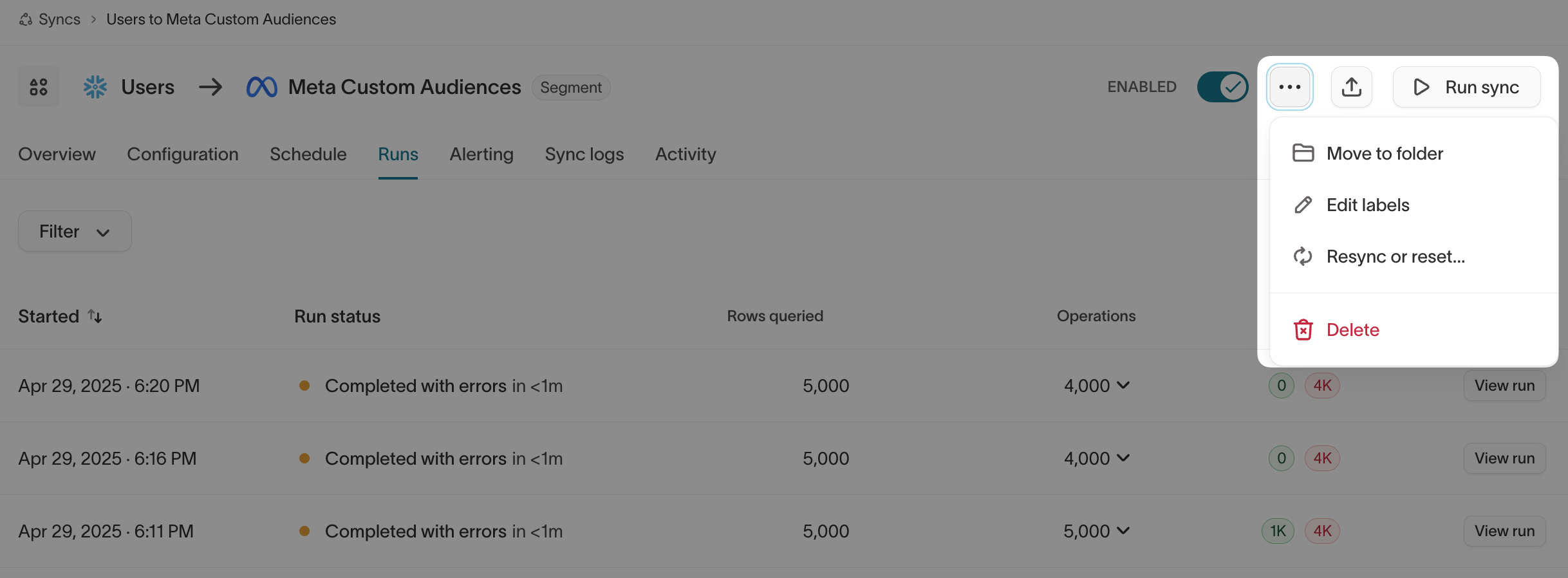
Choose an action
| Action | What it does | When to use it | Primary risk |
|---|---|---|---|
| Full resync | Reprocesses every row currently in the model as if it were newly Added, ignoring prior state. | Rebuild destination state when reprocessing every row is safe. | Duplicate records or repeated events for insert-mode syncs, event syncs, and webhook destinations. |
| Reset CDC | Clears change-data-capture state without sending the reset run's rows. | Re-establish a fresh baseline when you don't want a backfill. | The destination can drift, because the skipped changes are never sent. |
| Clear and fill | Clears the destination list or segment, then re-fills it from the current model. | Rebuild a replaceable audience or segment. | A temporary empty state, and it clears the entire list — not only the records Hightouch added. |
Full resync
A full resync — labeled Resync full query in the menu — resets the sync's tracking to its initial state, as if it were syncing for the first time. It processes every row currently in the model as an Added row.
By default, Hightouch tracks changes between runs and sends only the necessary updates, so an initial run shows many Added rows and later runs show mostly Changed or Removed. A full resync returns the sync to that initial all-Added state.
Prerequisites
Check the following before you trigger a full resync:
| Criteria | Explanation |
|---|---|
| Sync mode |
|
| Delete behavior |
|
A full resync can create duplicates or other issues in your destination if the prerequisites above aren't met.
Reset CDC
Reset CDC clears change data capture state without resyncing records. Hightouch ignores the current state of your model and tracks only rows added, changed, or removed from now on. The next run captures a fresh snapshot of your model and sends nothing to the destination; runs after that send only new changes.
Reset CDC suits insert-only use cases like conversion events and operational alerts, where a backfill would create duplicate records.
Skipping the backfill can leave your destination out of sync with your model, because the changes in the reset run are never sent. Use Reset CDC only when that drift is acceptable.
Clear and fill
When the destination supports clearing all records in a segment or audience, the Resync or reset... modal offers a clear-and-fill option, Clear list and trigger full resync. It works like a full resync with one added step: before it reprocesses the model's rows, it clears every user or identifier from the segment or audience selected in the sync configuration.
This clears the entire list, not only the records Hightouch added. It can undo changes made by other tools managing that list, and the clear step can take several hours to complete.
Verify the result
After the run finishes, open it from the Runs tab and confirm it did what you expected:
- Full resync — every row shows as Added, and the operation count matches your model's row count.
- Reset CDC — the run sent nothing to the destination (zero operations); the next scheduled run resumes normal diffing.
- Clear and fill — the list emptied and then refilled to the current model's row count.
If the result isn't what you expected, use the debugger to inspect the run.