What's new
Product updates, new integrations, and platform improvements.
October 2026
Customer Studio
- New
Event-based journeys now let you select subsets on the Start tile. Select a subset in each required category before you select Update. Your selections determine who can enter the journey and who can receive messages sent from it.
Agents
- Improved
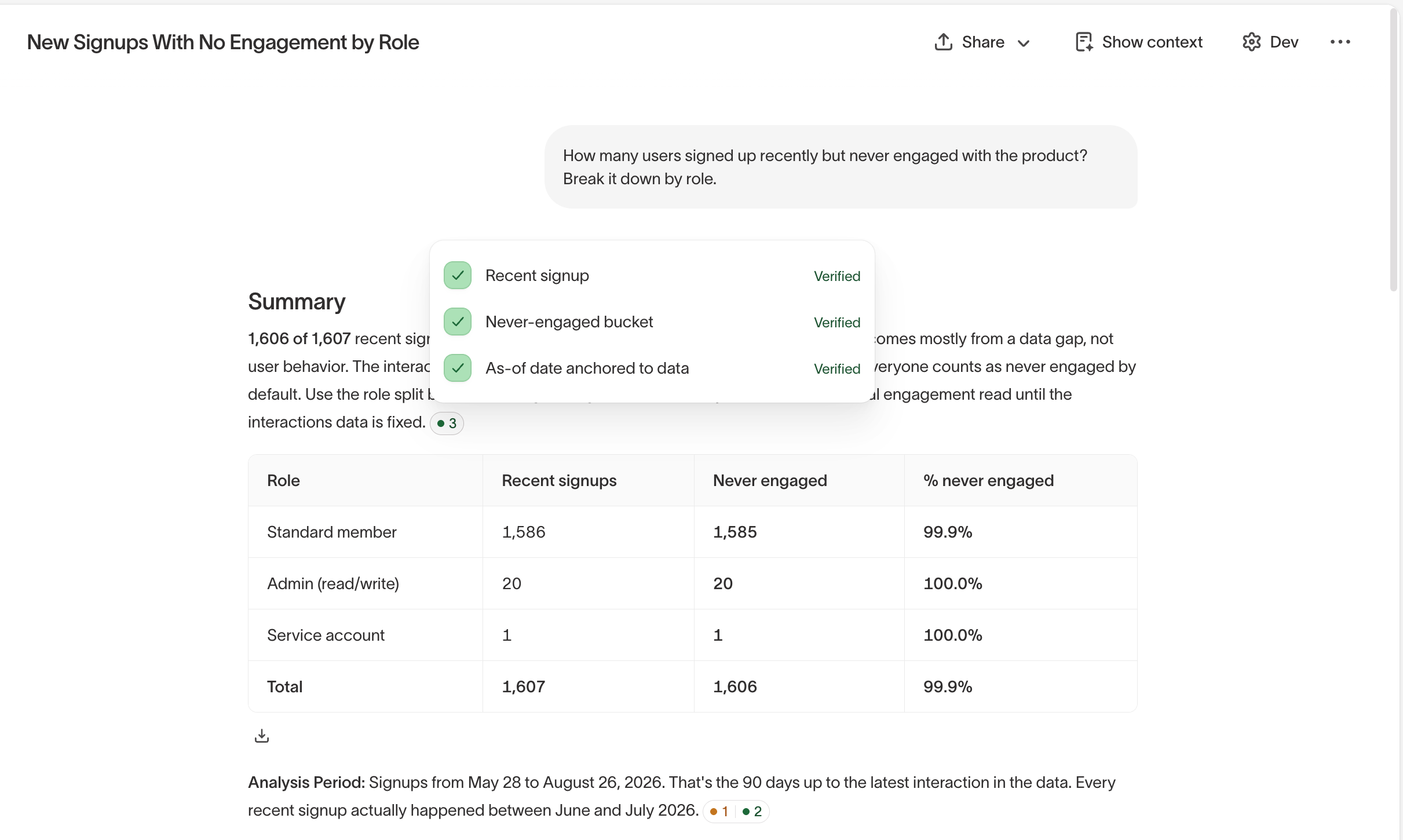
Agent responses now include citations for the definitions and assumptions behind each part of an answer. A citation appears at the end of each paragraph or list item it supports, and the full list still appears at the end of the response.
Context Hub
- Improved
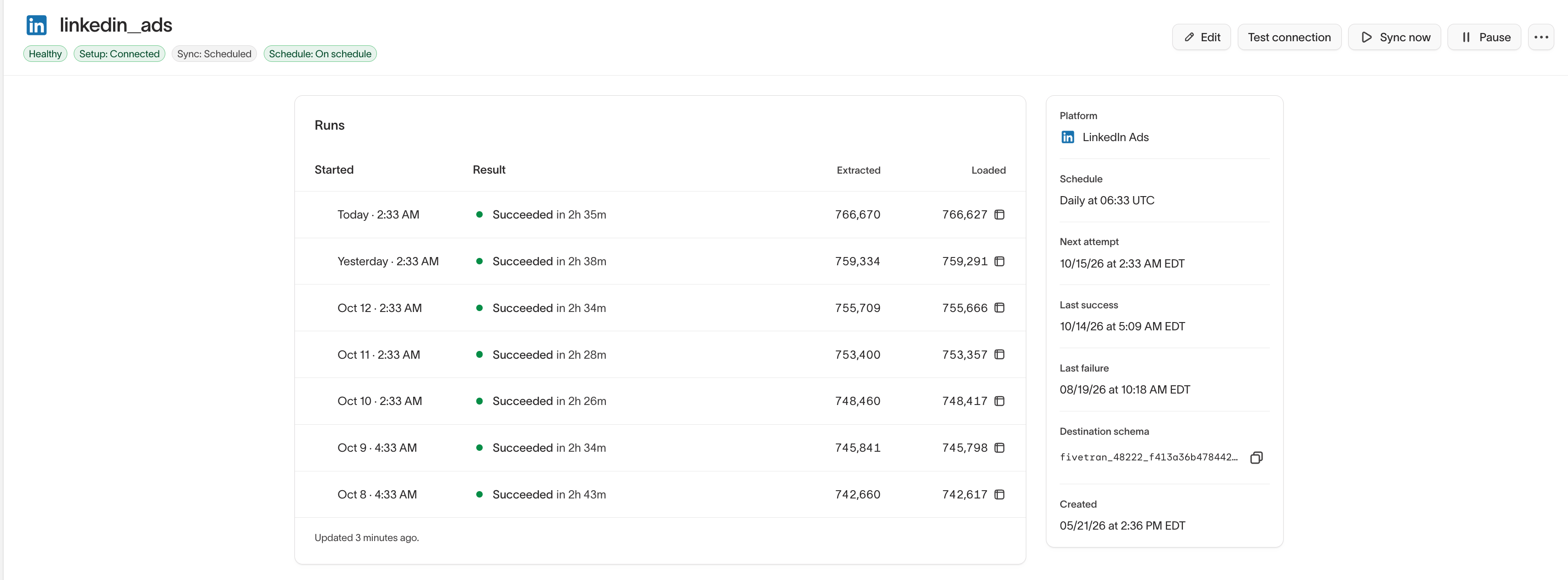
The Connections page shows the status, run history, and any errors or warnings for each Fivetran connection that brings data to your agents. You can also test connections and run syncs on demand.
- New
Automatically sync images and creative files from your digital asset manager (DAM), the tool where your team stores brand assets, into your asset library. Run the sync on a schedule, or start it whenever you need fresh assets.
- Improved
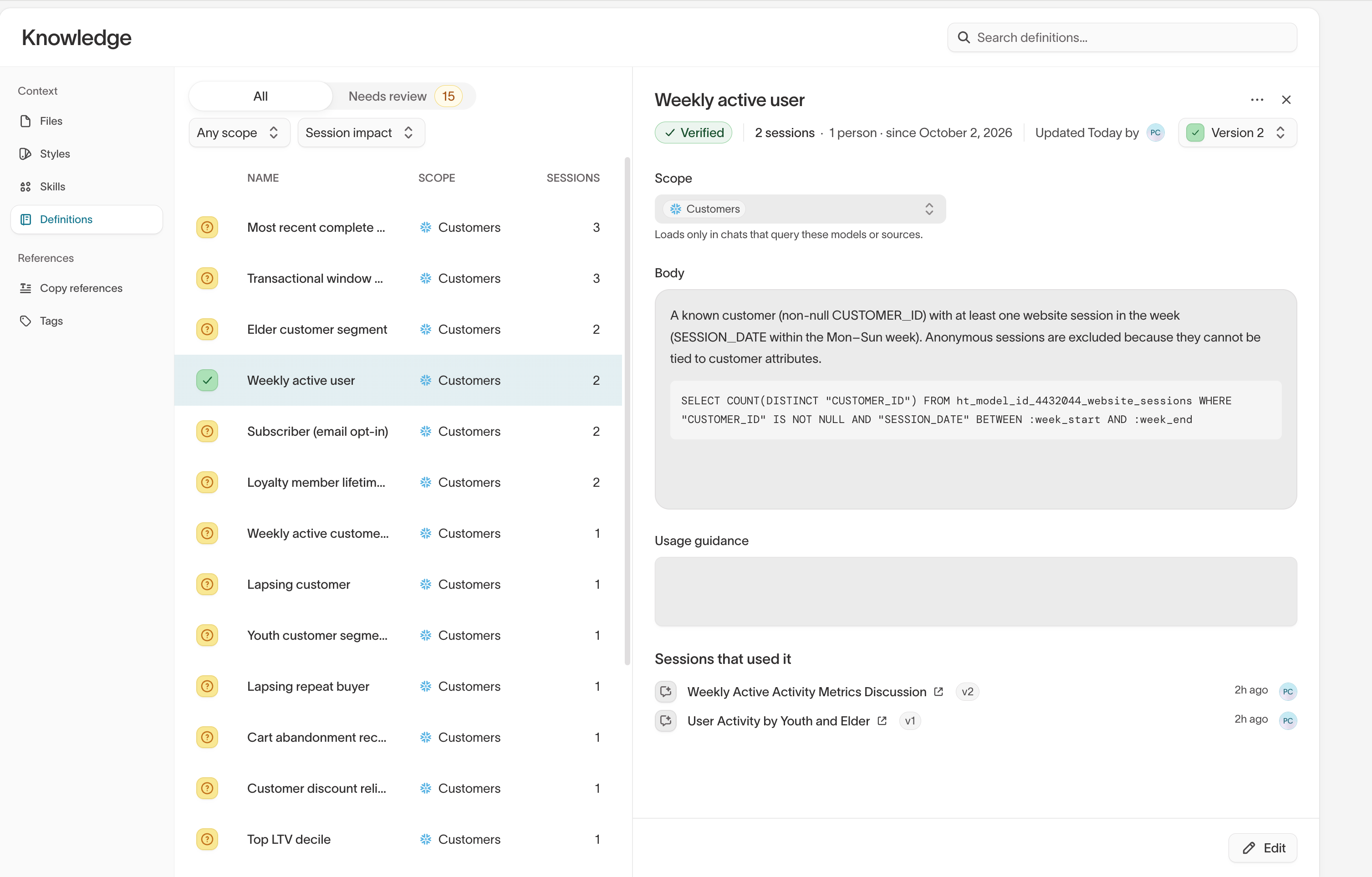
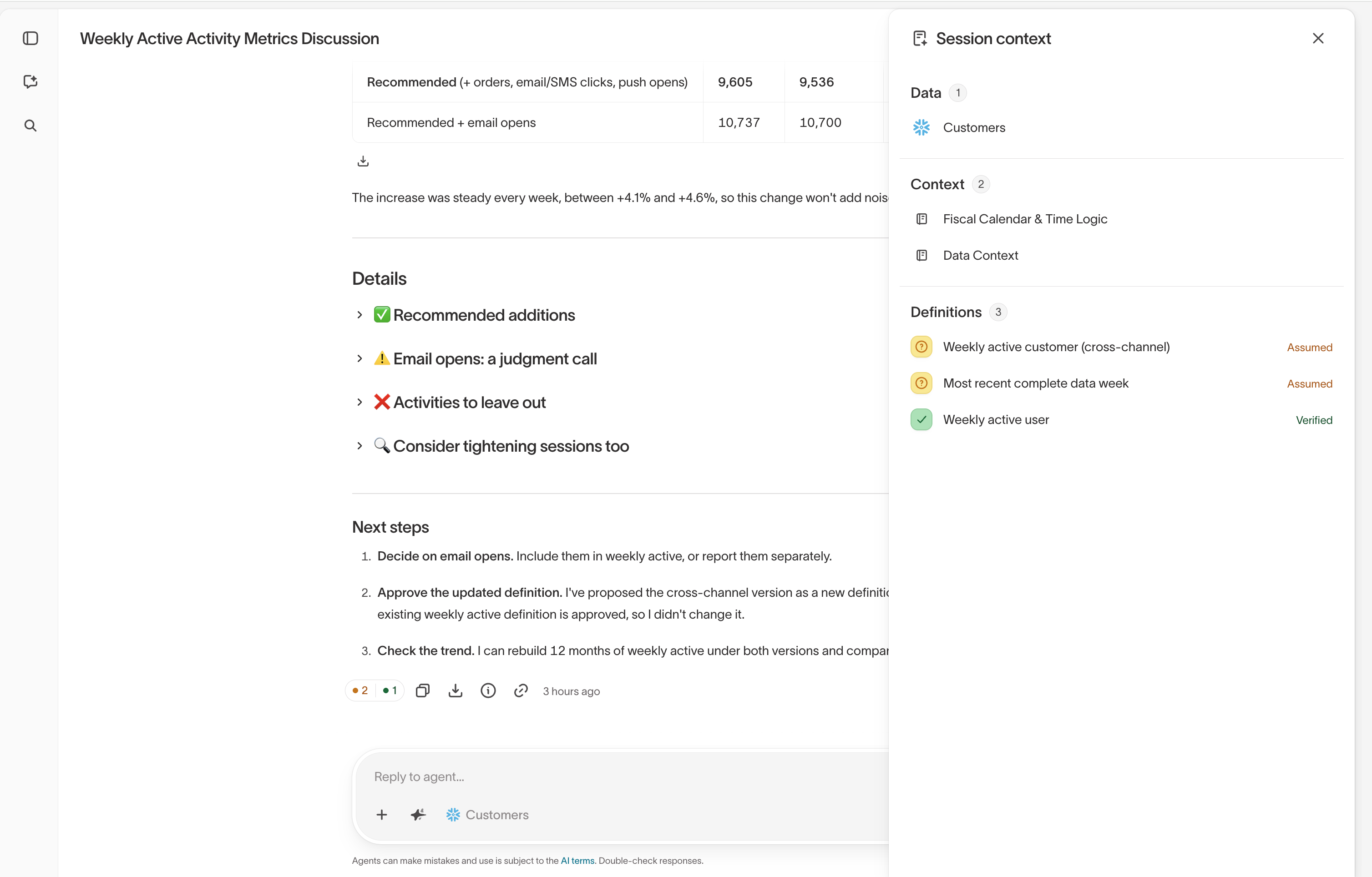
When an agent makes an assumption in chat, such as how your business defines an active customer, it's saved to the Definitions tab. Review, edit, and approve it there, and agents use the same definition in future chats. The Session Context panel shows everything an agent used in a chat, including definitions, audiences, and files.
AI Decisioning
- New
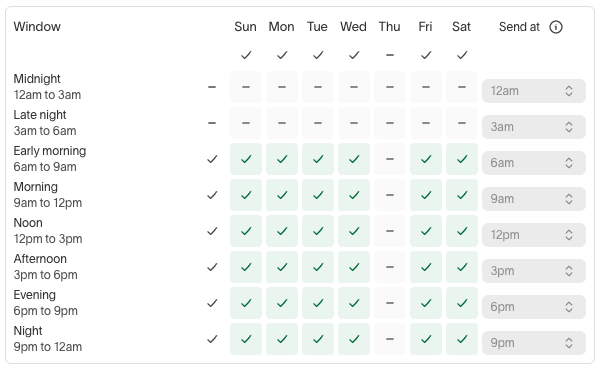
When AI Decisioning schedules messages for the best time of day, you can choose the exact send time within each three-hour window. For example, send early-morning messages at 7 AM instead of 6 AM while morning messages still go out at 9 AM. Send times follow each user's time zone and apply to new recommendations.
- New
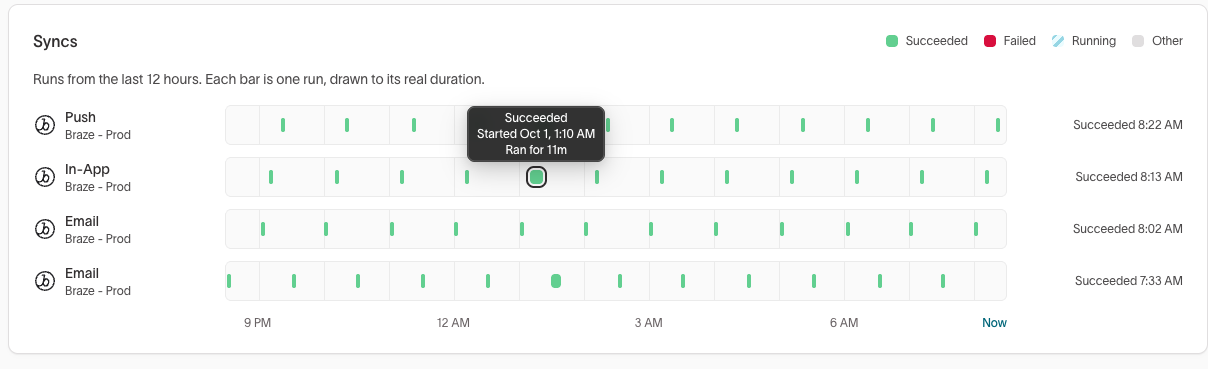
The Health tab for an AI Decisioning agent shows whether the syncs that deliver its messages are working. A Syncs card lists the last 12 hours of runs for each channel, and failed runs show the error with a link to investigate.
Events
- New
Braze plugins are now available for the Hightouch browser, iOS, and Android SDKs. They pass the user updates, events, and purchases you track with Hightouch on to Braze, so you can use Braze in-app messages and Content Cards without adding separate Braze tracking.
- New
New Amazon SQS event source for collecting events directly from SQS queues.
- New
New Amazon Kinesis event source for collecting events directly from Kinesis streams.
Sources
- Improved
Warehouse Export speeds up large syncs by having your warehouse write results straight to cloud storage. When a setup problem, such as missing bucket permissions, turns it off, Hightouch now shows that it's off and why, and you can re-enable it for a single sync or for all of a source's syncs.
- New
Snowflake sources can use a named external stage for Warehouse Export, so Snowflake writes to your storage bucket with its own access instead of temporary credentials from Hightouch. Use it if your Snowflake account blocks writes that use temporary credentials.
Destinations
- Improved
When you sync users to Iterable in Update mode, you can now skip records for users who don't exist in Iterable instead of rejecting them. Skipped records don't count as rejections, so rejected-row alerts reflect only real errors.
- New
The OpenAI destination now supports syncing custom audiences, in addition to conversion events. You can match users on email, phone number, or Google advertising ID.
- Improved
When you trigger Braze campaigns or Canvases, you can now identify recipients by email address or user alias, not just external user ID. This lets you reach prospects and unregistered users who don't have an external ID in Braze yet.
- Improved
Adobe Campaign Classic recipients and custom resources syncs now support All mode, which adds every row as a new record on each run and leaves earlier records unchanged. Use it to trigger a recurring campaign for everyone in an audience again, or to keep past records as a history.
September 2026
Customer Studio
- New
Audience membership traits list every audience a user currently belongs to as a column on the parent model. Sync that list to a destination alongside a user's other traits, or filter on its length to find users who belong to fewer than five campaigns.
- Improved
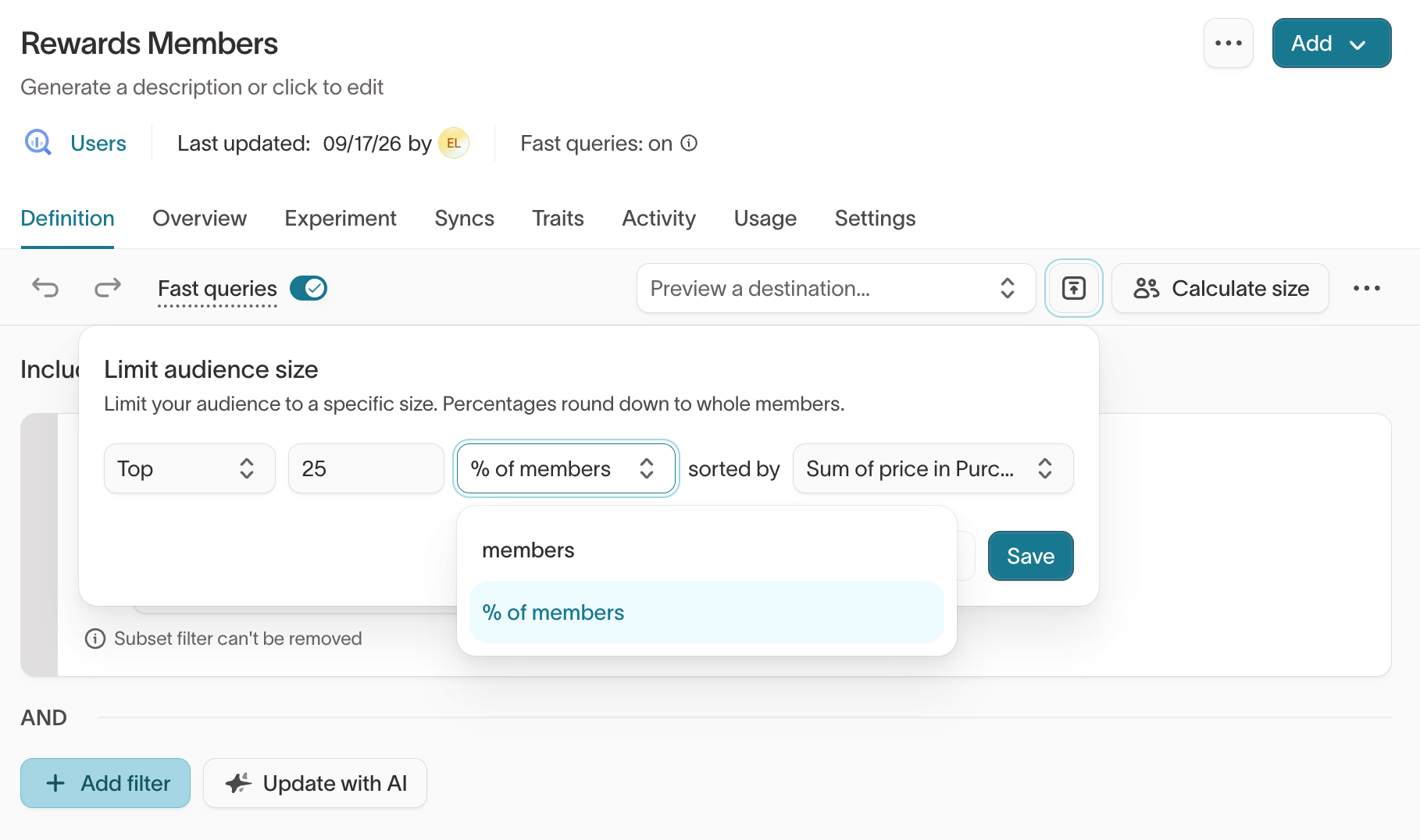
Audience size limits accept a percentage of members, not just a fixed number. The limit applies after your filters, so a top-25% limit sorted by purchase total scopes to the audience you built rather than to every user in the parent model.
- Improved
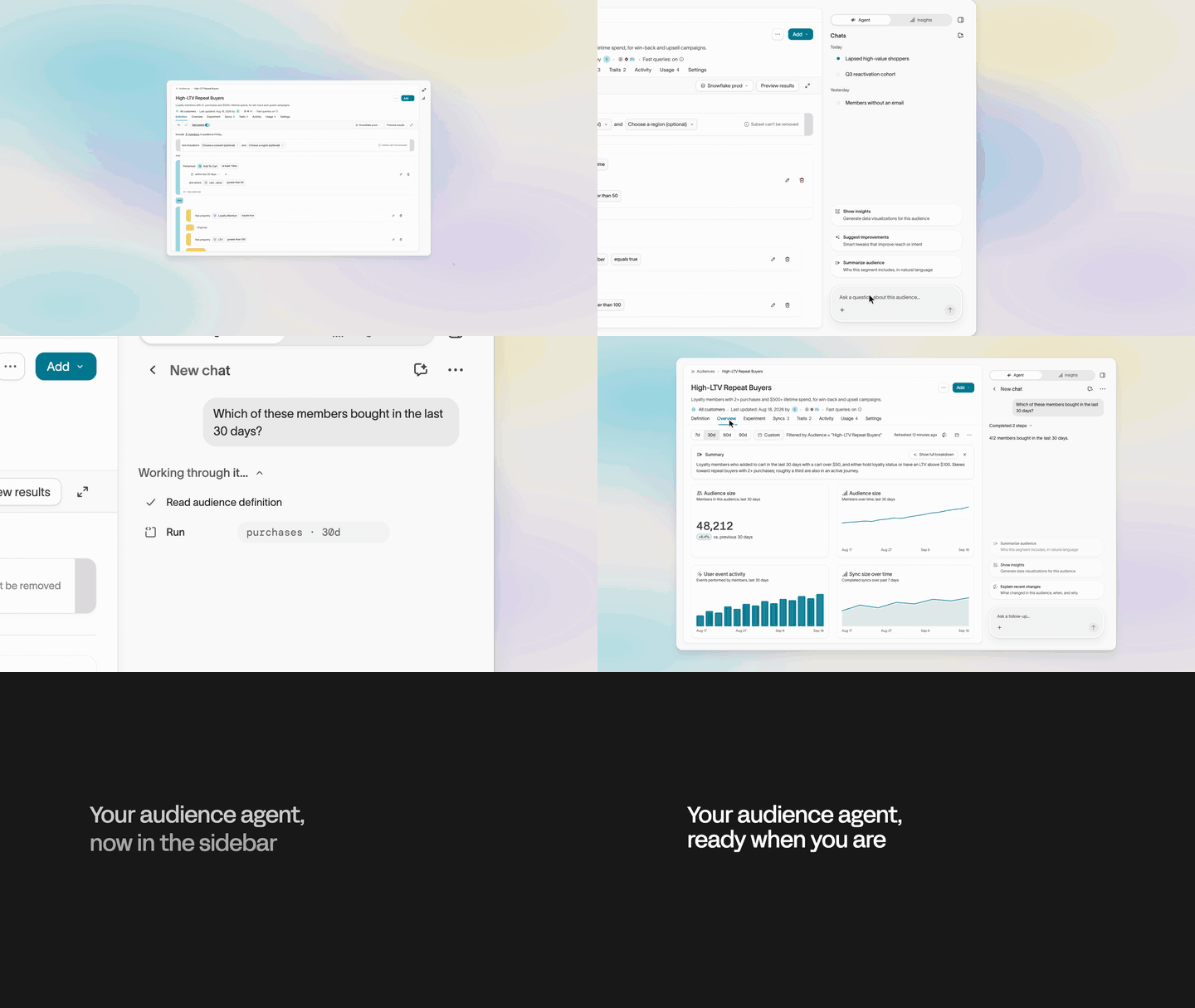
The agent and Insights now open in a sidebar that stays available as you work on an audience. On smaller screens, the sidebar appears as an overlay. It also suggests prompts to help you get started and makes it easier to return to previous chats.
- New
Realtime audiences and realtime traits can filter on arrays of objects in event payloads, like the products in an order. Choose any item or all items, and every item condition is checked against the same item, so
brand = Acmeandprice > 100only match a single product that meets both.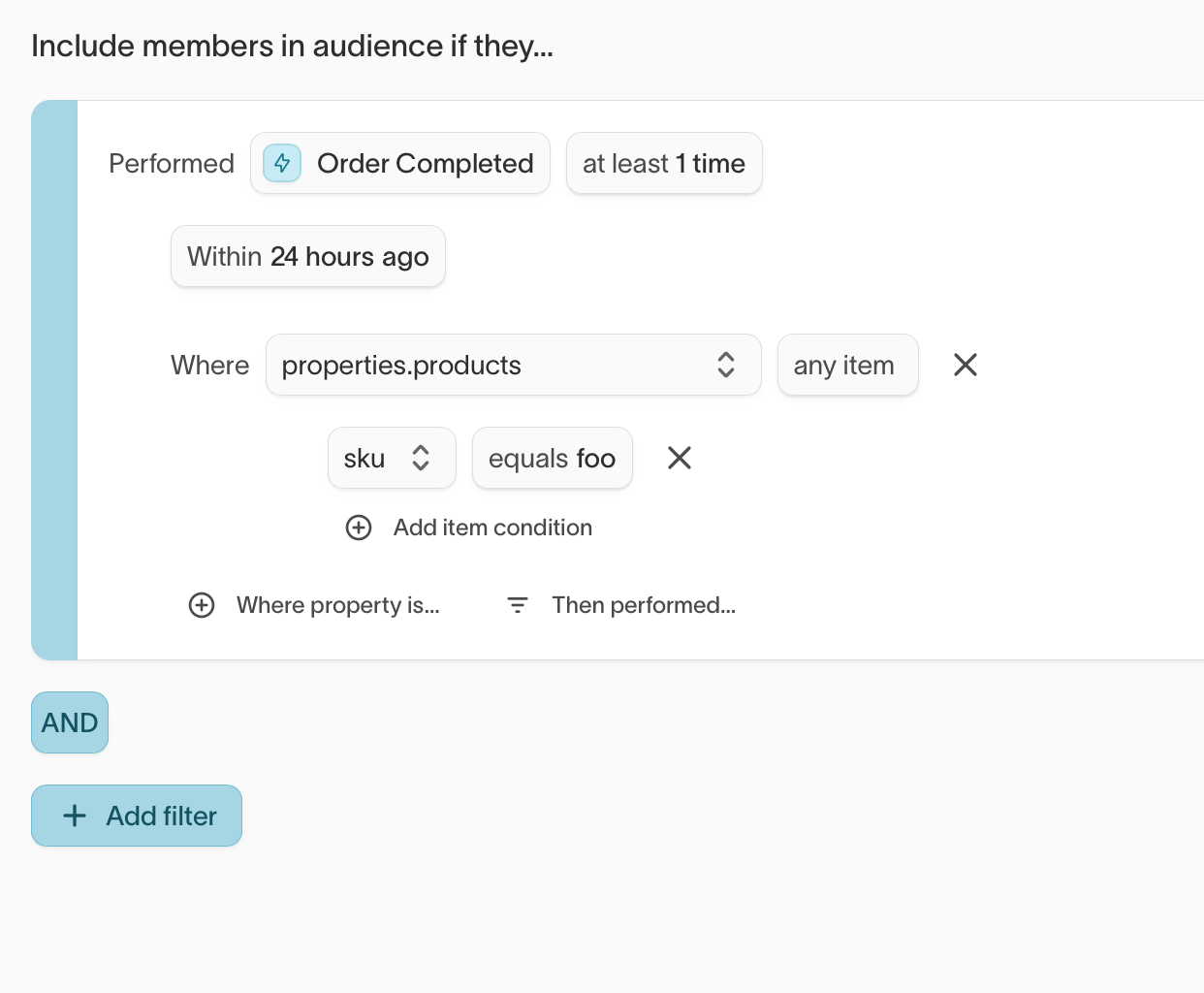
Ad Studio
- New
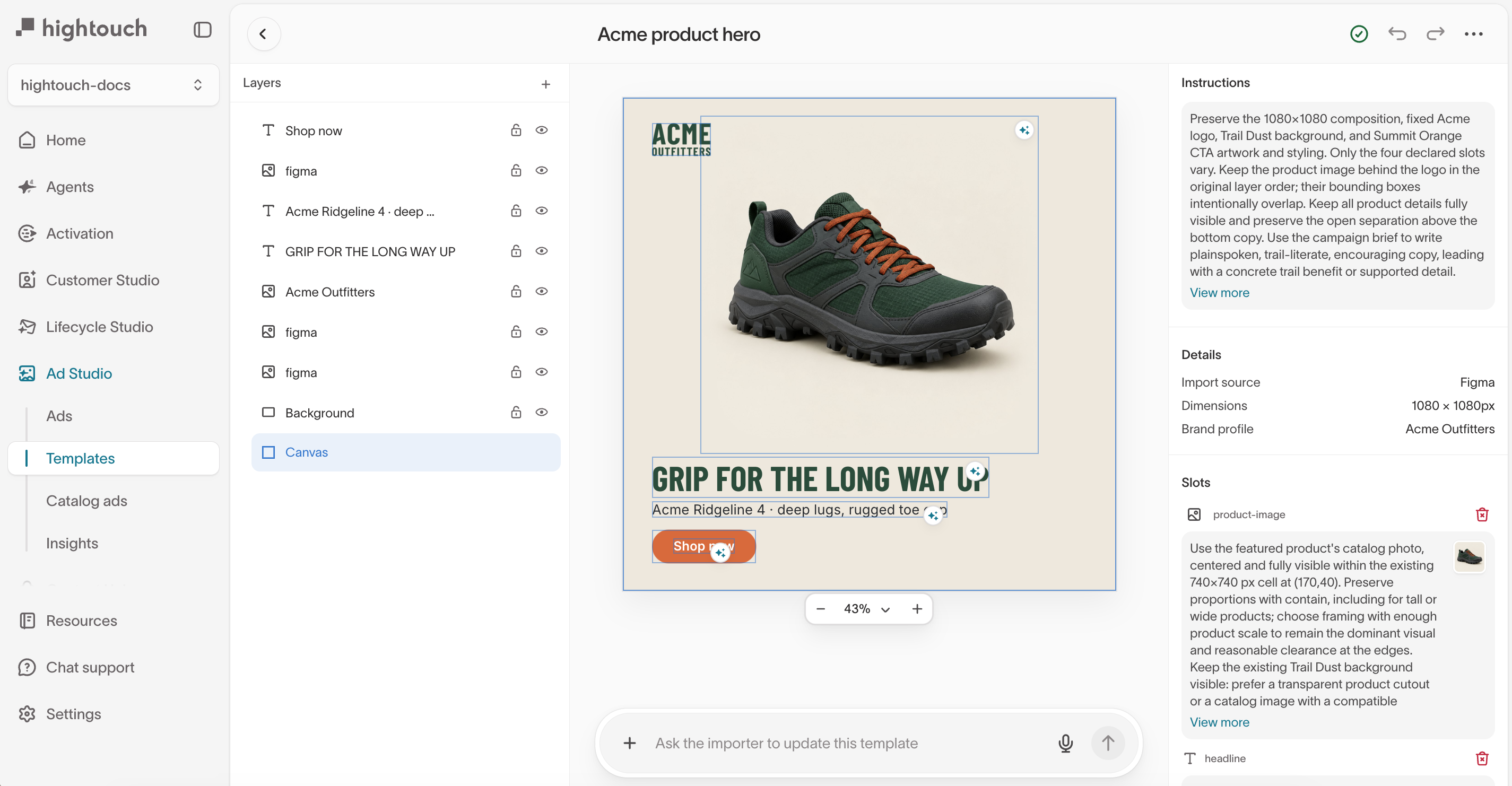
Templates reuse a layout across many ads so they follow your brand's look and feel, making it faster to create variants for different audiences and channels.
Agents
- New
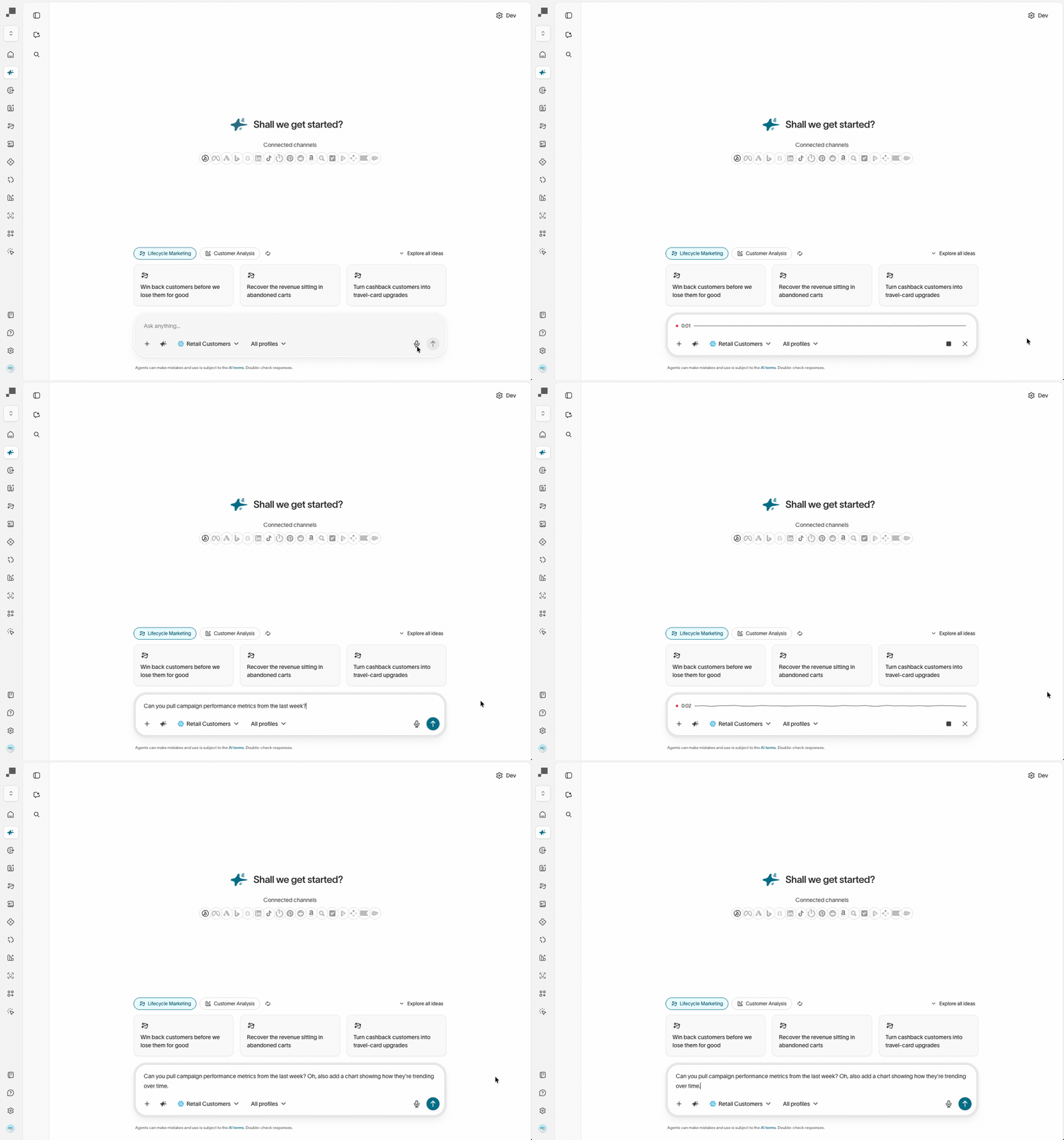
Speak to an agent instead of typing your message. Useful for describing an analysis you want or an audience you're building, where saying it out loud is faster than writing it out.
- New
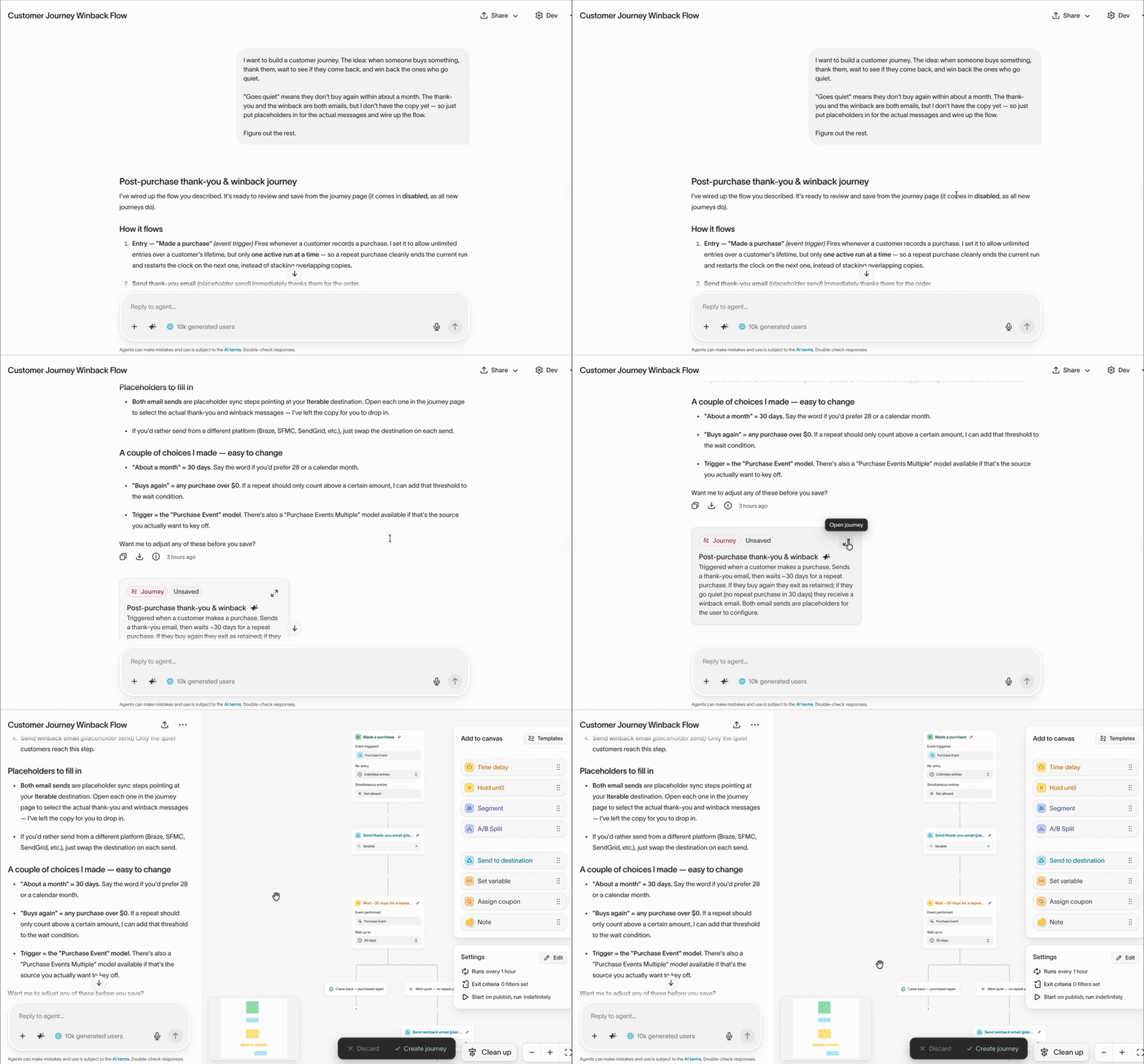
Agents can create and edit journeys from a plain-language description, and help design, debug, and fix existing ones. Agents can't edit a live journey or start and stop one, and destination tiles are still configured on the journey canvas.
AI Decisioning
- New
Consent settings link a feature matrix to consent records. When a user revokes consent, you can remove features that depend on that consent from warehouse data and stored historical interactions, or report the revoked consent without removing the data. Not yet available for Redshift or Databricks.

Destinations
- Improved
Amazon Ads first-party audience syncs now use Ads Data Manager, which replaces Amazon's older AMC audiences. Hightouch creates the audience and shares it with Amazon DSP, so you no longer set it up in AMC first. New syncs need your manager account ID in the destination settings, and existing syncs keep working as they are.
- Improved
Object ID lookups on the Salesforce and Salesforce Sandbox destinations accept additional match conditions. Alongside the existing field-equals-column match, add fixed-value conditions so the lookup resolves only against records that qualify, such as active users or a single record type.
- New
The SMTP Email destination can attach query results as a JSON file, in addition to CSV.
- Improved
Iterable trigger syncs support Insert, Update, and Upsert modes across trigger email, push, in-app, SMS, and journey. A row previously fired only when it first appeared in the model, so Update and Upsert let you re-trigger a campaign when a contact's data changes.
August 2026
Ad Studio
- New
Move ads through review and approval inside Ad Studio. A status view groups ads on a kanban board, status updates are available from the gallery view or the ad itself, and the ad's activity sidebar shows the full status and comment history.
- New
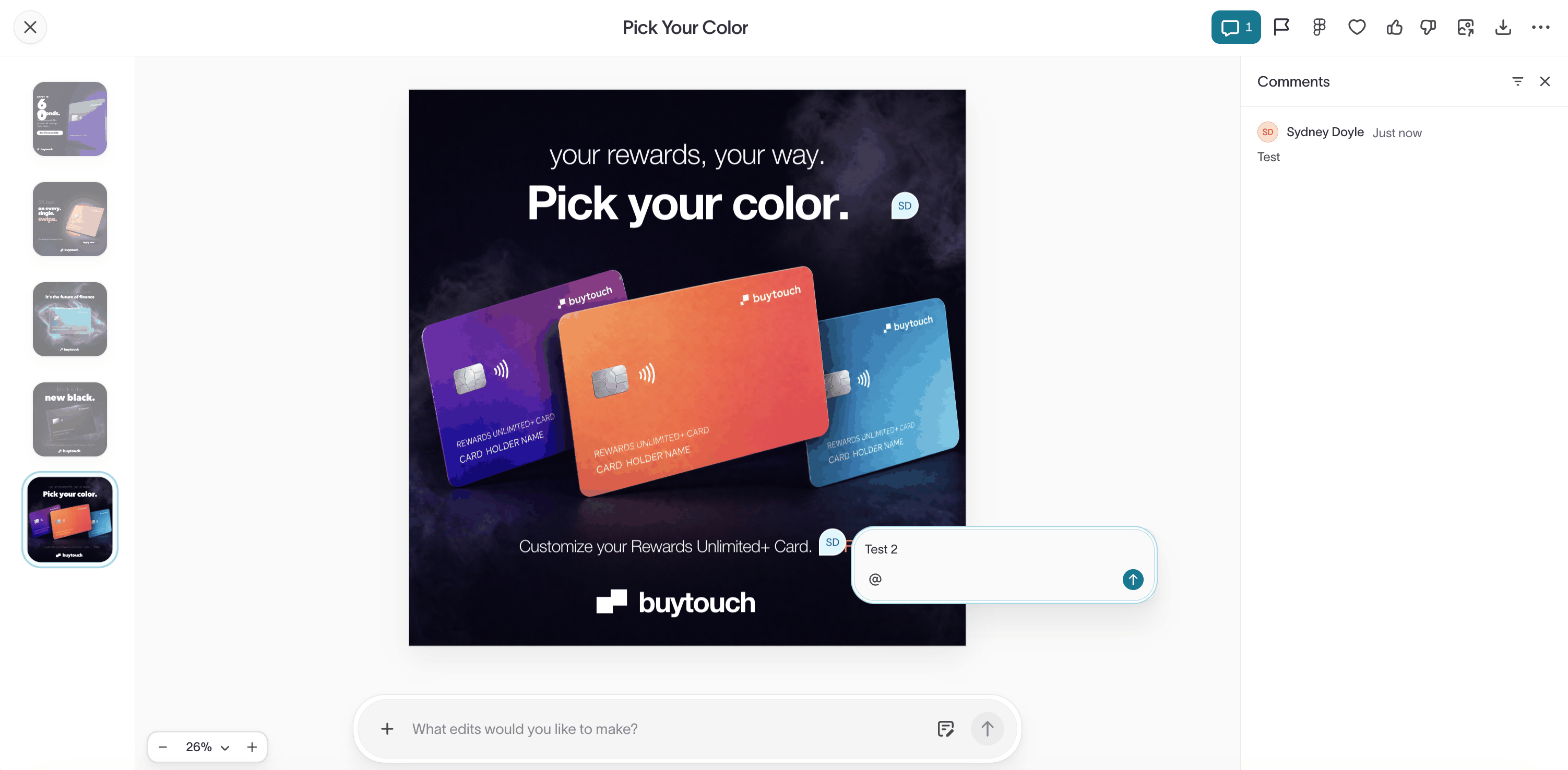
Comment on an ad in the visual editor to gather feedback before you launch. Pin a note to a spot on a static ad or a moment in a video, mention teammates to notify them by email, and track unread threads from the notifications bell above the Ads page.
Context Hub
- New
Sync Snowflake semantic views or Databricks Unity Catalog metric views into Context Hub as an external context source. Agents read your governed definitions for terms like LTV, net revenue, and active customer, then use them to interpret questions and write queries.
Events
- New
The Events CLI generates typed SDK wrappers from event contracts so you can catch schema mismatches in your editor.
Agents
- Improved
Rename a chat in the agent sidebar by double-clicking its name, typing, and pressing Enter. The sidebar is also fully keyboard-navigable, and switching between chats is faster.
- New
Pin chats on the agent chat page to keep important conversations accessible as new ones come in. Pinned state is stored locally in the browser.
- New
Agents can read and analyze journey definitions, runs, and logs — ask an agent for help understanding a complex journey, debugging a run issue, or analyzing journey performance.
Destinations
- New
New FreeWheel Data Suite destination — create FreeWheel segments and keep their membership current for targeting across CTV inventory. Hightouch computes which users entered or left the audience between runs and delivers those changes as incremental additions and removals.
- New
New Purchasely destination — sync audience membership into Purchasely custom audiences to personalize in-app paywalls. Members are added and removed as your audience changes, matched by your own user ID or the Purchasely anonymous ID.
- New
Adobe Campaign Classic recipient syncs support Campaign v8 staging tables as an opt-in write method, using Adobe's Ingest APIs for high-volume writes on v8's cloud architecture. Existing syncs keep writing directly to the Campaign database.
Workspace Management
- New
A Manage traits grant lets you give marketers access to create and edit traits and trait templates without granting full schema configuration access. Scope the grant globally or to specific parent models.
General
- Improved
Configuration forms for syncs, sync templates, destinations, sources, and event syncs respond faster to typing and toggles. Large field mappings that used to lag behind keystrokes now keep up.
Showing 3 of 62 months