| Audience | Admins responsible for managing identity graphs |
| Prerequisites |
|
Supercluster reprocessing helps you identify over-merged identity clusters, review high-impact identifiers, and decide whether to allow or block them before reprocessing your graph.
For non-supercluster issues (for example run failures, unresolved rows, or SQL errors on IDR output tables), see Troubleshoot Identity Resolution.
What you’ll learn
After reading this article, you’ll know how to:
- Identify when IDR flags potential superclusters
- Understand how gating affects graph updates
- Locate supercluster warnings in the UI
- Understand which identifiers are causing over-merging
- Decide whether to keep or block flagged identifiers
- Reprocess affected clusters safely and intentionally
Overview
Supercluster detection helps you detect and resolve over-merged identity clusters caused by high-cardinality or low-quality identifiers, such as shared emails or placeholder IDs.
When IDR detects potential over-merging, it flags the affected clusters and prompts you to review the identifiers involved before reprocessing those clusters.
This feature lets you:
- Identify identifiers causing excessive merging
- Allow valid high-volume identifiers
- Block problematic identifiers and reprocess affected clusters
What is a supercluster?
A supercluster is an identity cluster that grows unusually large and oftentimes merges different identities together.
This can be caused by:
- Shared or default identifier values
- Corrupted or reused IDs
- Unexpected upstream data issues
How IDR detects potential superclusters
During each graph run, IDR monitors how identifier values contribute to cluster growth.
If a single identifier value links together an unusually large number of source rows within the same cluster, IDR flags that cluster as a potential supercluster. This helps surface cases where shared, default, or corrupted identifiers may be causing accidental over-merging.
When a potential supercluster is detected, IDR's behavior depends on whether Gating is enabled.
Example
Let's say the threshold for detecting a supercluster was 3 source rows per identifier value.
1. Ingest source rows
The graph ingests rows containing the identifiers email and user_id:
| event_id | user_id | |
|---|---|---|
| 1 | real1@email.com | user1 |
| 2 | real1.alt@email.com | user1 |
| 3 | real2@email.com | user2 |
| 4 | fake@email.com | user3 |
| 5 | fake@email.com | user4 |
| 6 | fake@email.com | user5 |
2. Build identity clusters
During resolution, rows are grouped into clusters based on shared identifiers.
All rows containing fake@email.com are merged into the same cluster.
IDR then counts how many source rows each identifier value appears in within that cluster:
| Identifier | Value | Cluster ID | Source rows |
|---|---|---|---|
| fake@email.com | ht3 | 3 | |
| user_id | user3 | ht3 | 1 |
| user_id | user4 | ht3 | 1 |
| user_id | user5 | ht3 | 1 |
3. Flag the cluster
Because the identifier value fake@email.com appears in 3 source rows, it exceeds the example threshold used here.
As a result:
- The cluster containing that identifier is flagged as a potential supercluster
- IDR surfaces the problematic identifier for review
- You’re prompted to choose whether to Keep (allow) or Block it before reprocessing
IDR does not automatically change or break up clusters without an explicit Keep or Block decision.
Gating
Gating is a safety mechanism that prevents updates to your identity graph when a potential supercluster is detected.
- Gating Enabled (Default): If a potential supercluster is detected, IDR stops the update. The graph remains in its previous state until you review the flagged clusters and reprocess. This protects your graph from accidental over-merging.
- Gating Disabled: IDR updates the graph even if potential superclusters are found. The system still flags them, but over-merged identities will be live in your graph.
Gating is enabled by default to ensure data quality. To opt out, please contact .
Resolve superclusters
The following steps walk through how to review and resolve flagged superclusters.
Step 1: Run your identity graph
Supercluster detection runs automatically as part of each identity graph run.
If potential superclusters are detected:
- With gating enabled, the run will fail with a Superclusters detected indicator
- With gating disabled, the run completes with a Superclusters detected indicator
Step 2: Open the supercluster review flow
You can access flagged superclusters from several places:
-
Graphs list view — Shows the most recent run with a
Superclusters detectedstatus.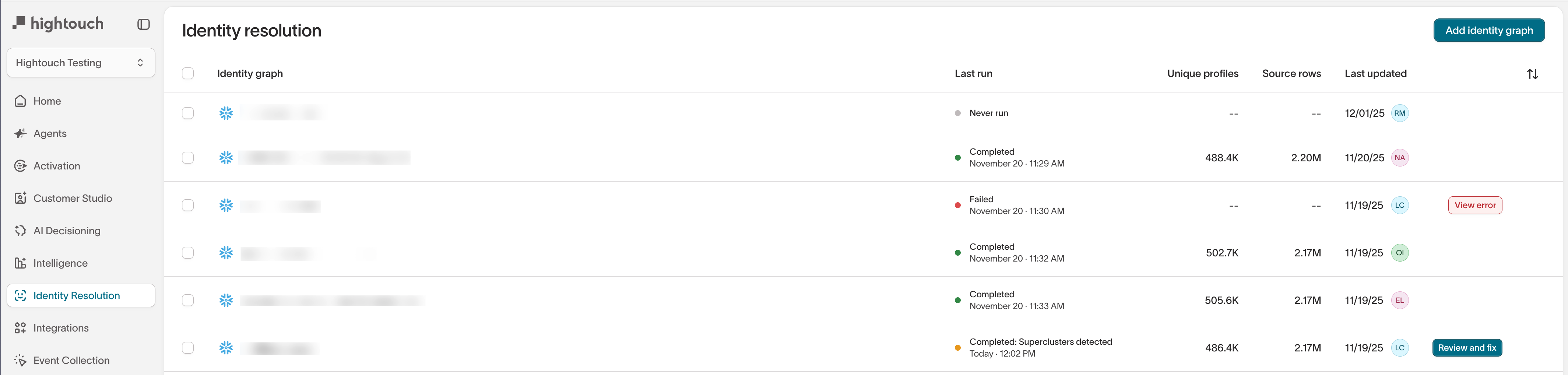
-
Graph summary tab — Displays a warning banner.
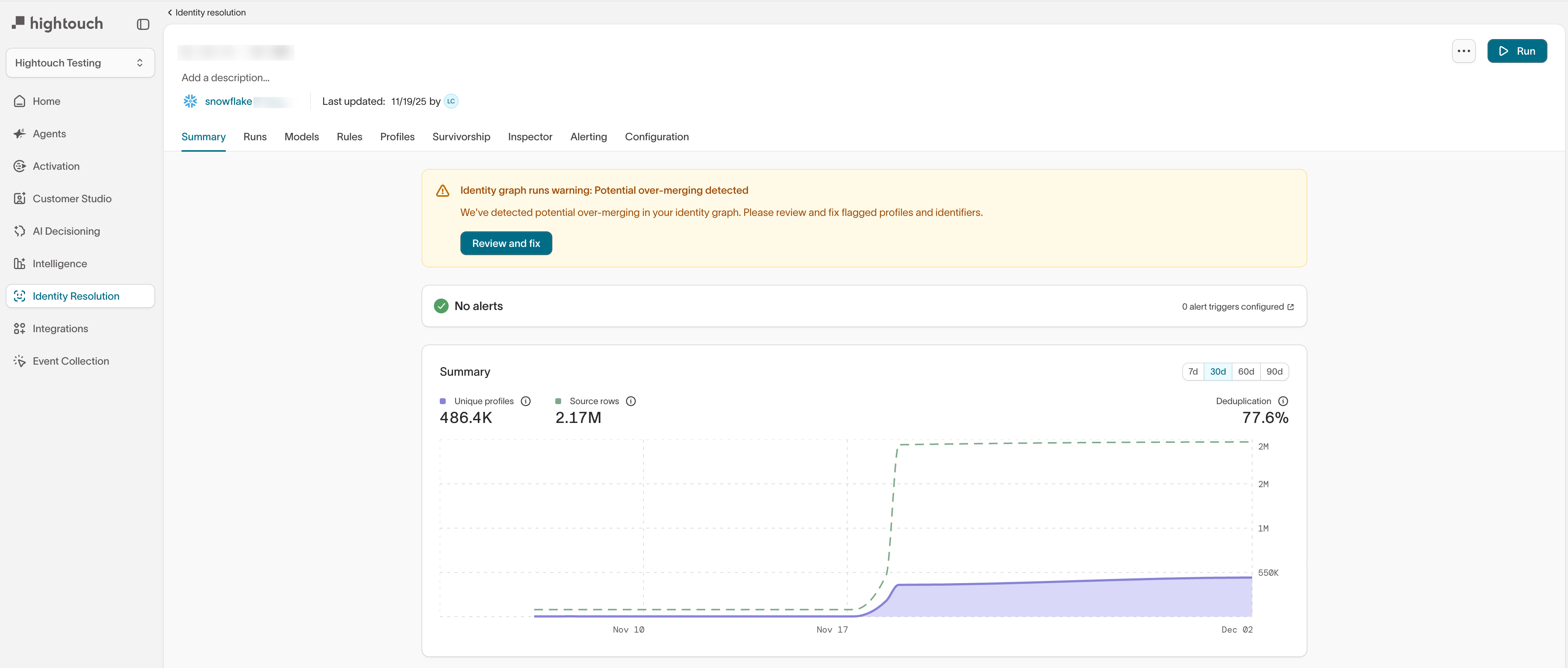
-
Graph runs — Labels affected runs as
Superclusters detected.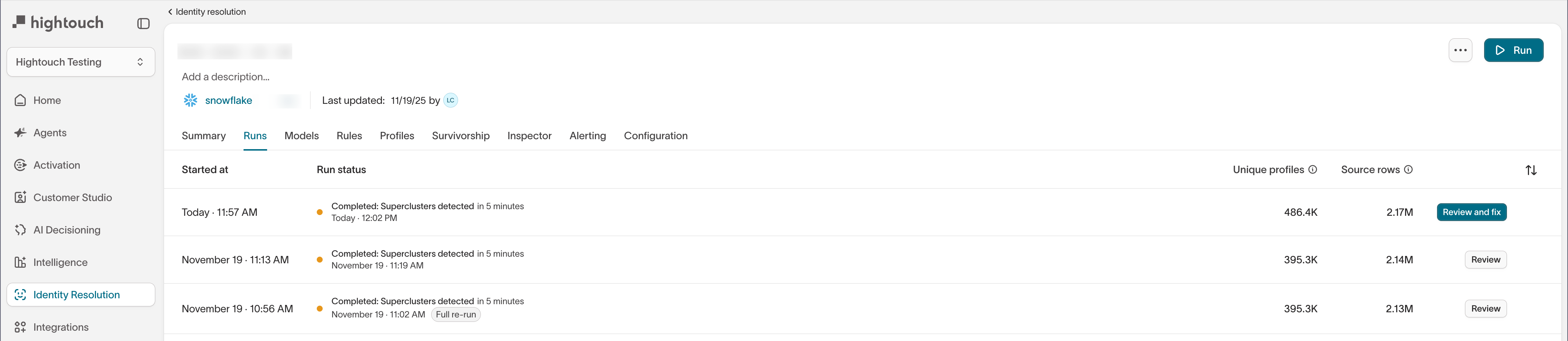
From any of these views, select Review and fix to open the Superclusters overview.
Step 3: Review flagged clusters
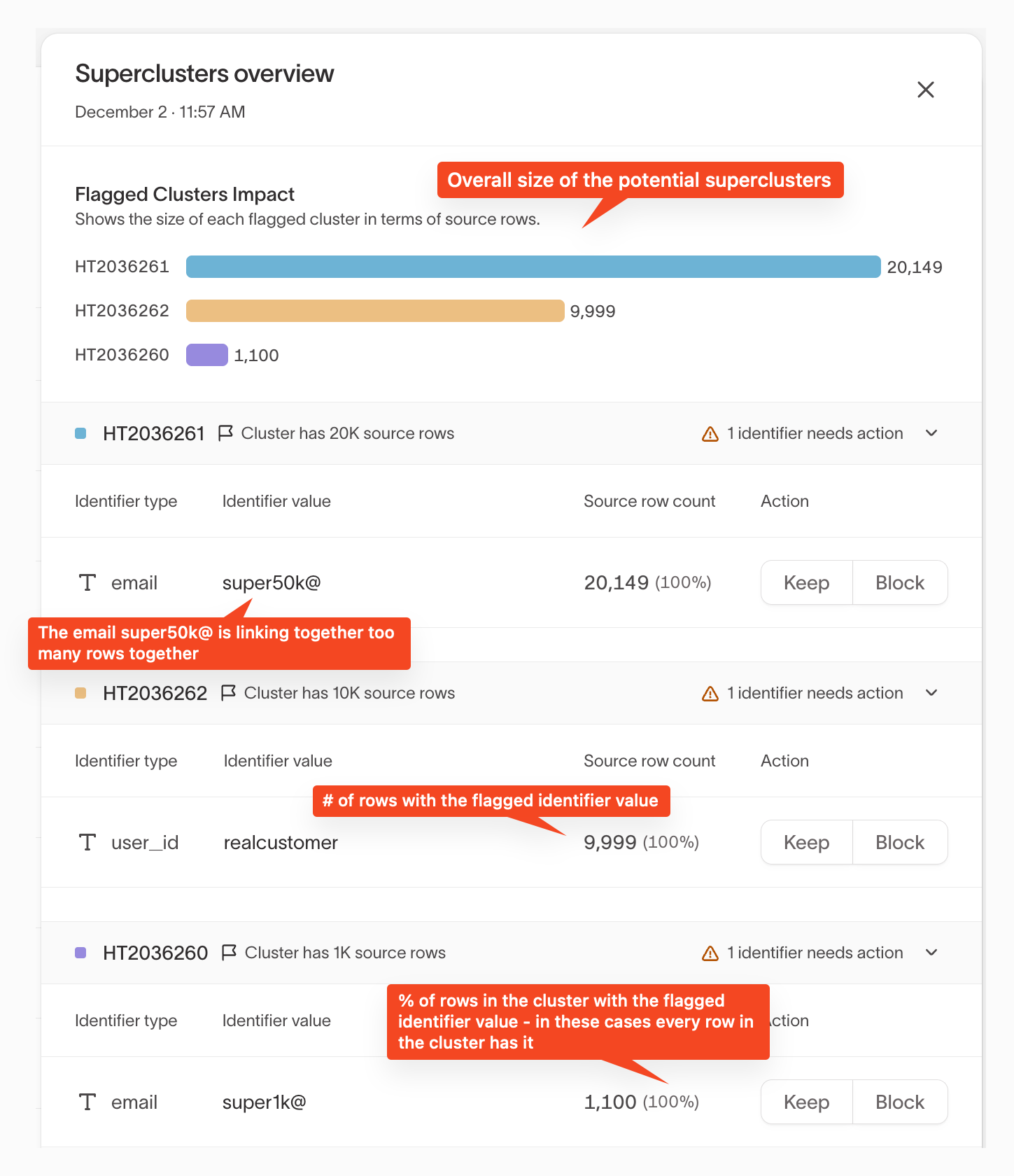
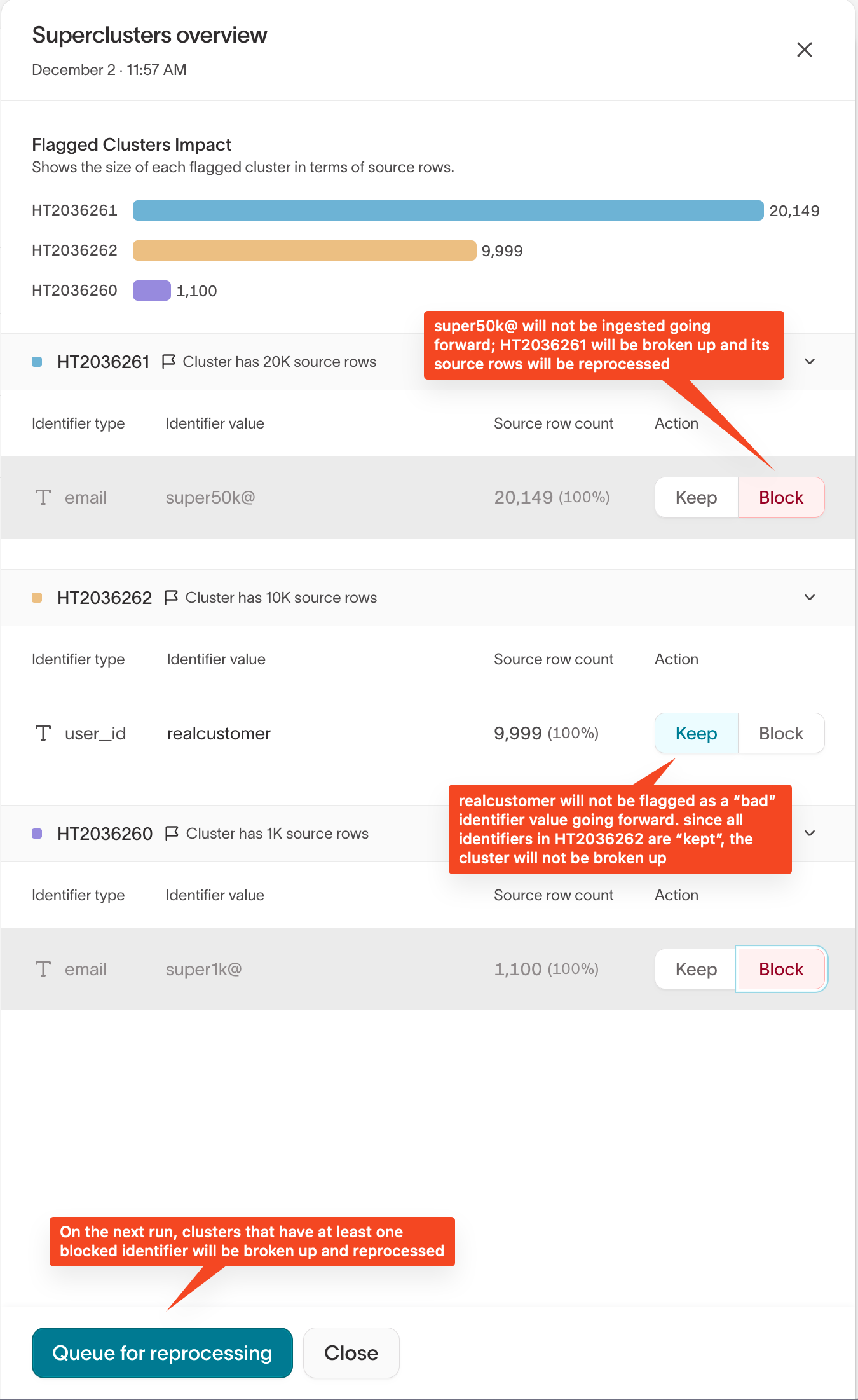
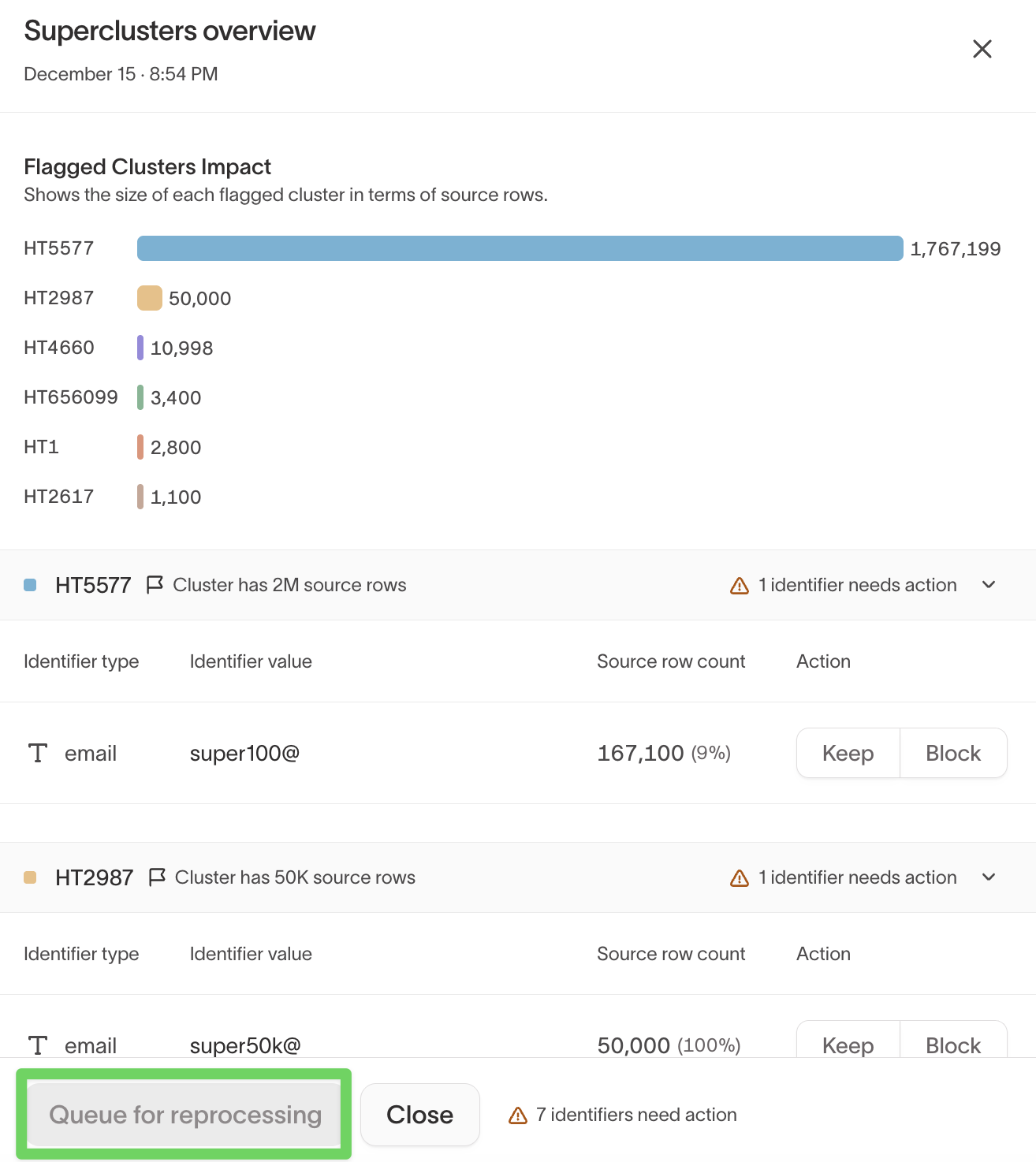
In the Superclusters overview, you'll see:
- Each flagged cluster
- The total number of source rows in each cluster
- Which identifiers caused the cluster to be flagged
This helps you identify which clusters have the highest impact.
Step 4: Review flagged identifiers
Expand a cluster to review its flagged identifiers.
For each identifier, IDR shows:
- Identifier type and value
- Source row count — how many rows include the identifier
- Percentage of the cluster linked by that identifier
High row counts and high percentages often indicate accidental over-merging.
Step 5: Inspect identifier details (recommended)
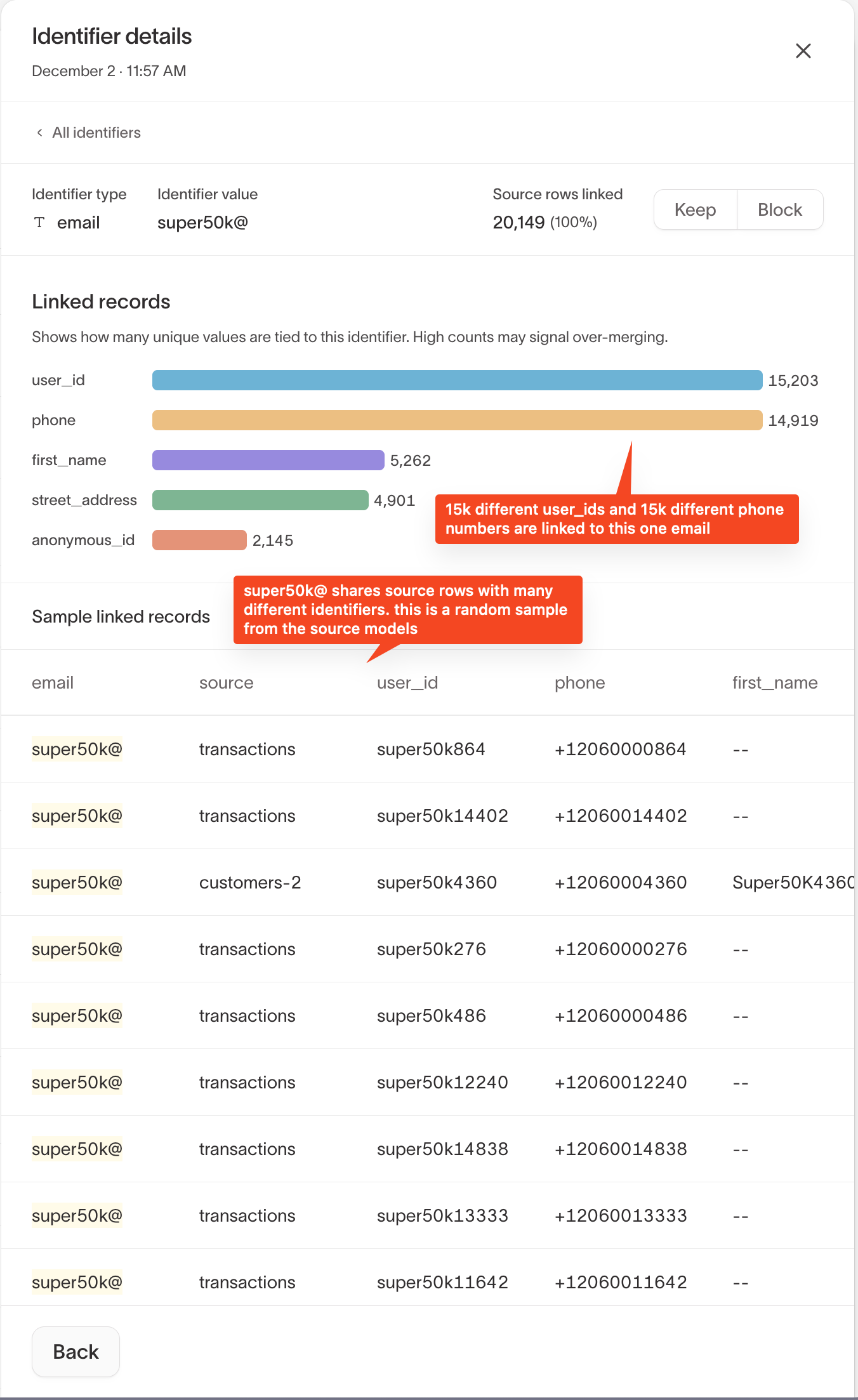
In the Superclusters overview, select an identifier to open Identifier details.
This view helps you understand why the identifier was flagged by showing:
- How many unique values of other identifiers are linked
- Which source models the rows come from
- A random sample of linked source records
High diversity (for example, many distinct user_id values tied to one email) is a strong signal of over-merging.
Step 6: Decide how to handle each identifier
For every flagged identifier, choose one of the following actions:
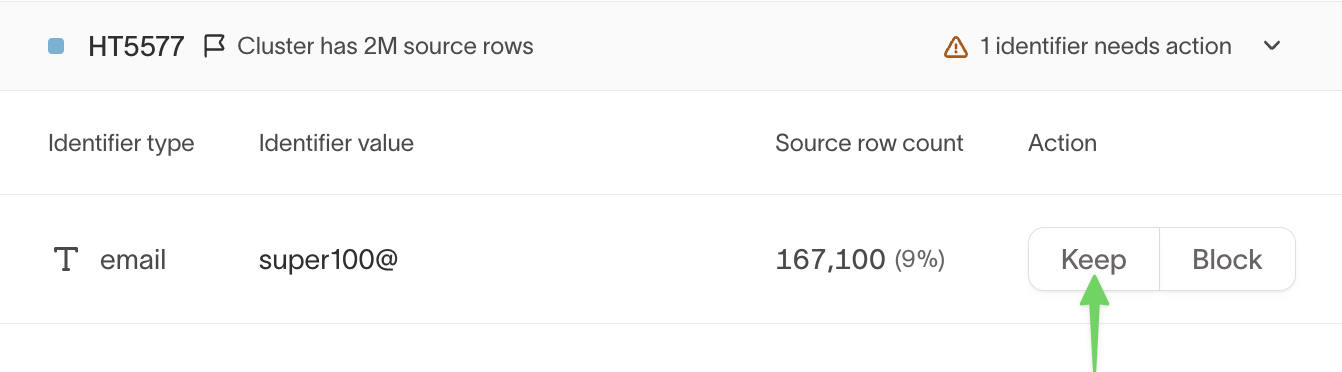
Keep (allowlist)
Choose Keep if the identifier is expected and valid at scale.
- The identifier is added to the graph’s allowlist
- It won’t be flagged in future runs
- The cluster will not be broken up due to this identifier
Block (blocklist)
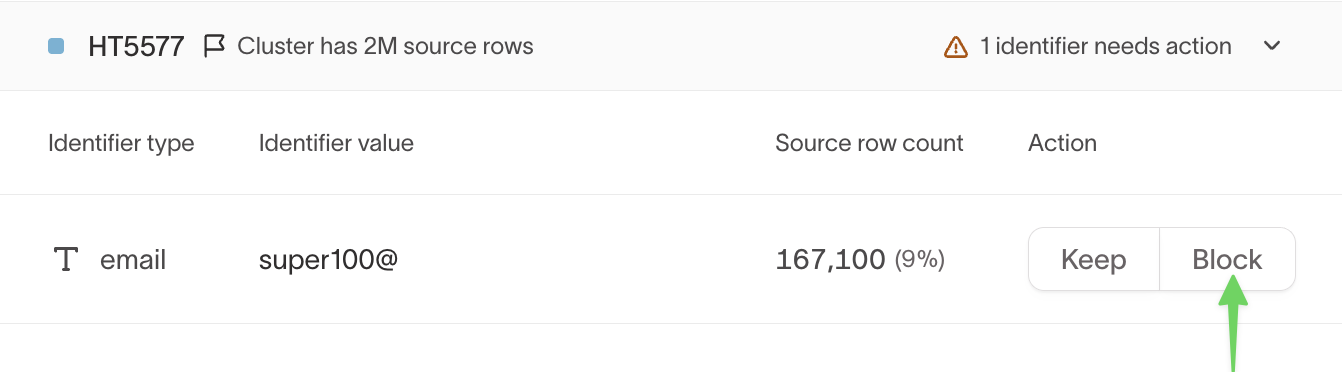
Choose Block if the identifier is causing accidental over-merging.
- The identifier is added to the graph’s blocklist
- It’s ignored in future resolution
- Any cluster containing this identifier will be broken apart during reprocessing
Step 7: Queue the graph for reprocessing
Once all flagged identifiers are marked Keep or Block, the Queue for reprocessing button becomes available.
Select it to reprocess the graph.
On the next run:
- Clusters containing blocked identifiers are split
- Source rows are re-ingested without blocked identifiers
- Identity resolution is recalculated using remaining identifiers
Step 8: Verify results
After the reprocessing run completes:
- Review updated cluster sizes
- Confirm that over-merging has been resolved
- Verify downstream systems receive corrected identities