| Audience | Technical marketers, data or analytics engineers, platform admins |
| Prerequisites |
|
Learn how Hightouch evaluates realtime audiences, how realtime events work, what data is stored, and what kind of performance you can expect.
What you'll learn
After reading this article, you'll understand:
- How realtime events and your schema drive realtime evaluation
- How Hightouch combines live behavior with cached warehouse data
- What data is stored, why, and how long it's retained
- Latency characteristics, refresh behavior, and current limitations
Overview
This article covers how realtime audiences work under the hood—event processing, warehouse caching, data storage, and performance characteristics.
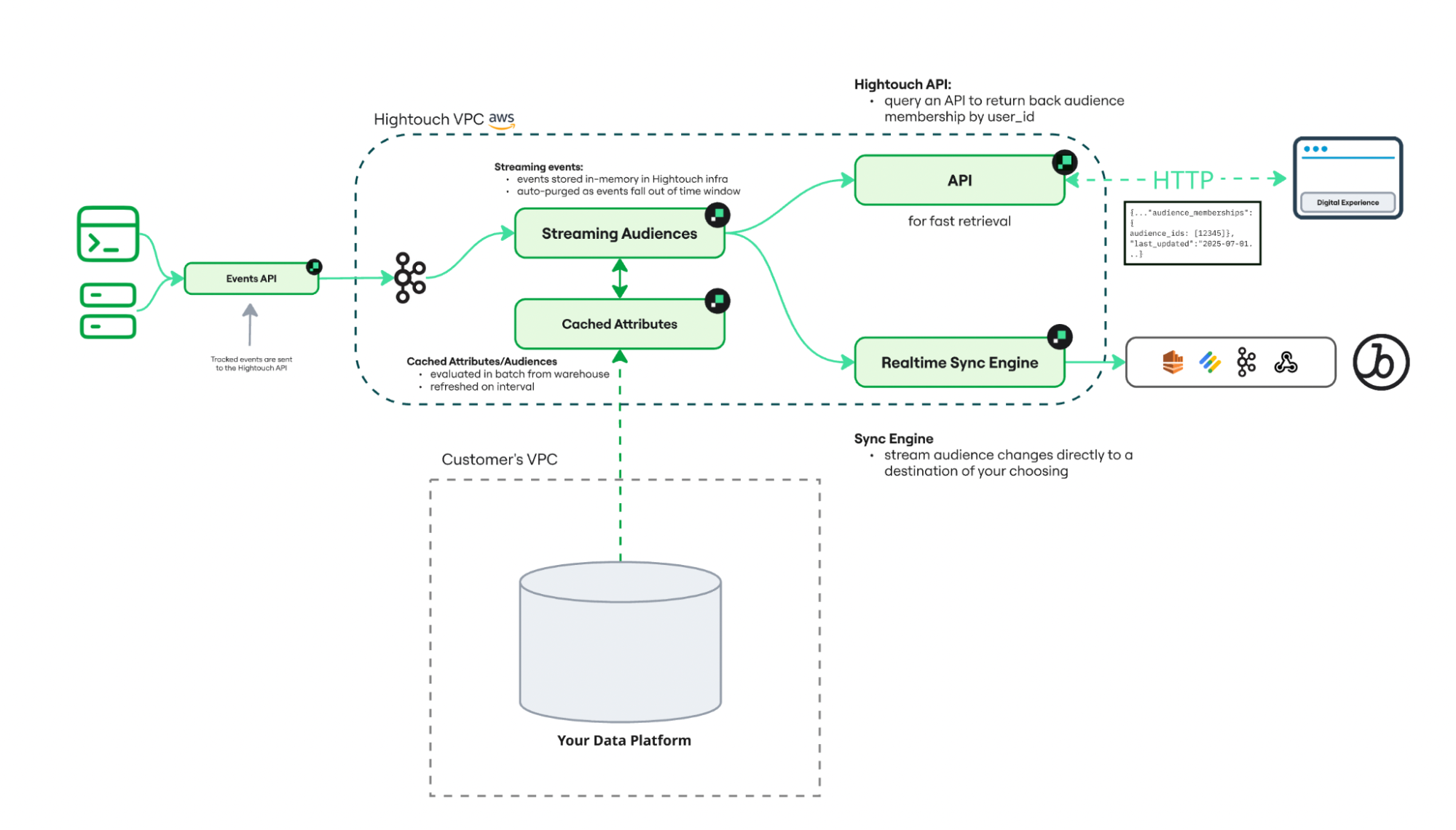
The diagram above shows how streaming events flow through Hightouch's evaluation engine, combine with cached warehouse attributes, and produce audience membership updates delivered via realtime syncs or the Membership API.
Key concept: event-driven evaluation
Realtime audiences are event-driven.
Rather than recomputing entire audiences, Hightouch:
- listens only to events defined in your schema
- evaluates only the user associated with each event
- uses a cached set of warehouse attributes
- updates audience membership incrementally
This approach avoids querying your warehouse for every event while still incorporating warehouse-backed logic.
How realtime audiences work
Realtime audiences rely on three components working together:
- Realtime events (defined in your schema)
- Audience logic (defined in Customer Studio)
- Delivery (realtime syncs or Membership API)
Realtime events and your schema
Your schema defines the events that Hightouch evaluates in real time.
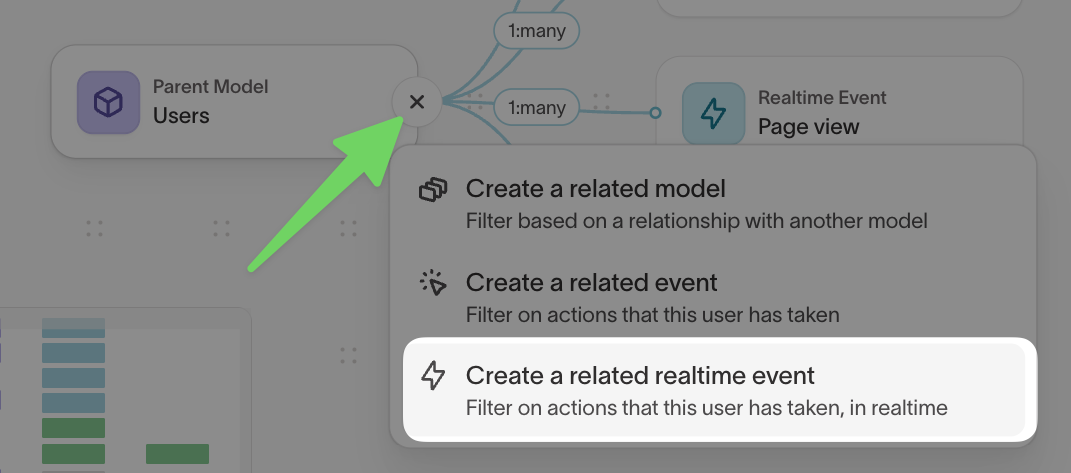
To track real-time behavior, you create a schema model that tells Hightouch:
- which event source to listen to
- which event type to capture (for example,
trackorpage) - which fields are available for filtering
- which timestamp represents when the event occurred
- how the event maps back to a user (for example, via
user_id)
You can also apply filters so that only relevant events enter the evaluation pipeline.
Examples of realtime events:
Page viewProduct searchedCheckout started
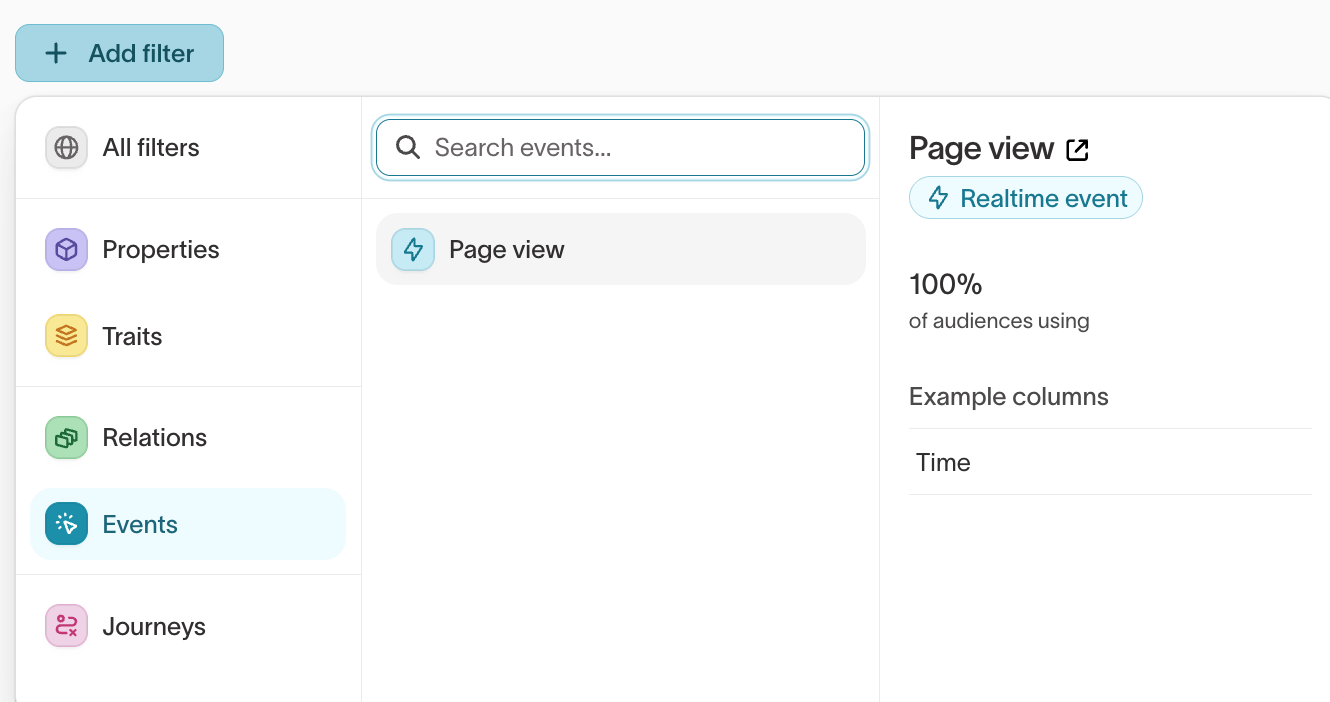
Once defined, these events appear in Customer Studio and can be used directly in audience conditions.
In practice:
- The schema defines what events exist
- Audiences define how those events are evaluated
Use clear, marketer-friendly names for realtime events so they are easy to recognize in the audience builder.
Audience conditions
Once a realtime event is available in the schema, marketers can use it in audience logic.
For example, an audience might include event conditions like:
- performed
Page viewat least 3 times in the last 10 minutes - performed
Checkout startedin the last 5 minutes - performed
Searchforrunning shoesduring the current session
Realtime audiences combine live event conditions with warehouse-backed traits and attributes, such as:
plan_type = freeregion = North Americalifetime_value > 500
This allows evaluation of:
- current session behavior (events)
- historical context (warehouse data)
Membership availability
When a user enters or exits a realtime audience, Hightouch can make that membership available in two ways:
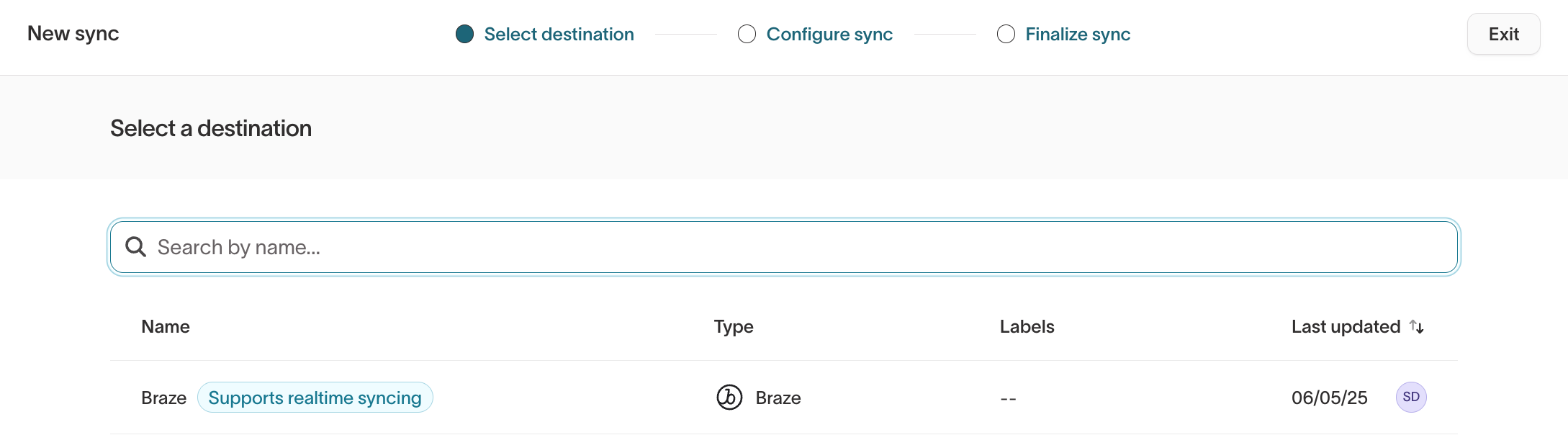
- Realtime syncs to supported destinations
- Membership API lookups from your application
Supported realtime destinations
For the full list of supported realtime destinations, see Create a realtime sync in the setup guide.
Evaluation flow
When a new event arrives, Hightouch evaluates only the affected user.
1. Event ingestion
Hightouch ingests streaming events from supported sources such as:
- Hightouch Events
- Segment
- RudderStack
- Snowplow
Only events that match a realtime event defined in your schema are processed for realtime evaluation.
If filters are configured on the event model, only matching events are evaluated.
2. User-level evaluation
For each event, Hightouch:
- Identifies the associated user (for example, via
user_id) - Evaluates whether the event contributes to any audience conditions
- Retrieves relevant cached attributes from the warehouse
- Recomputes audience membership for that user
If the user newly qualifies for an audience—or no longer qualifies—membership is updated immediately.
Time-based membership expiration (age-outs)
Most evaluation is event-driven: a new event arrives, and Hightouch re-evaluates the associated user. But a realtime audience condition with a lookback window can stop being true without any new event arriving. For example, an audience defined as "viewed a page 3 times in the last 4 hours" should drop a user once those views fall outside the 4-hour window, even if the user generates no further activity.
To handle this, Hightouch schedules a future re-evaluation for each qualifying user based on when their membership is set to lapse. When that time arrives, Hightouch re-evaluates the user and removes them from the audience if the time-based condition is no longer satisfied. This produces a normal audience exit, so any exit events configured on the sync are sent just as they would be for an event-driven exit.
3. Membership availability
After evaluation, audience membership can be accessed in two ways:
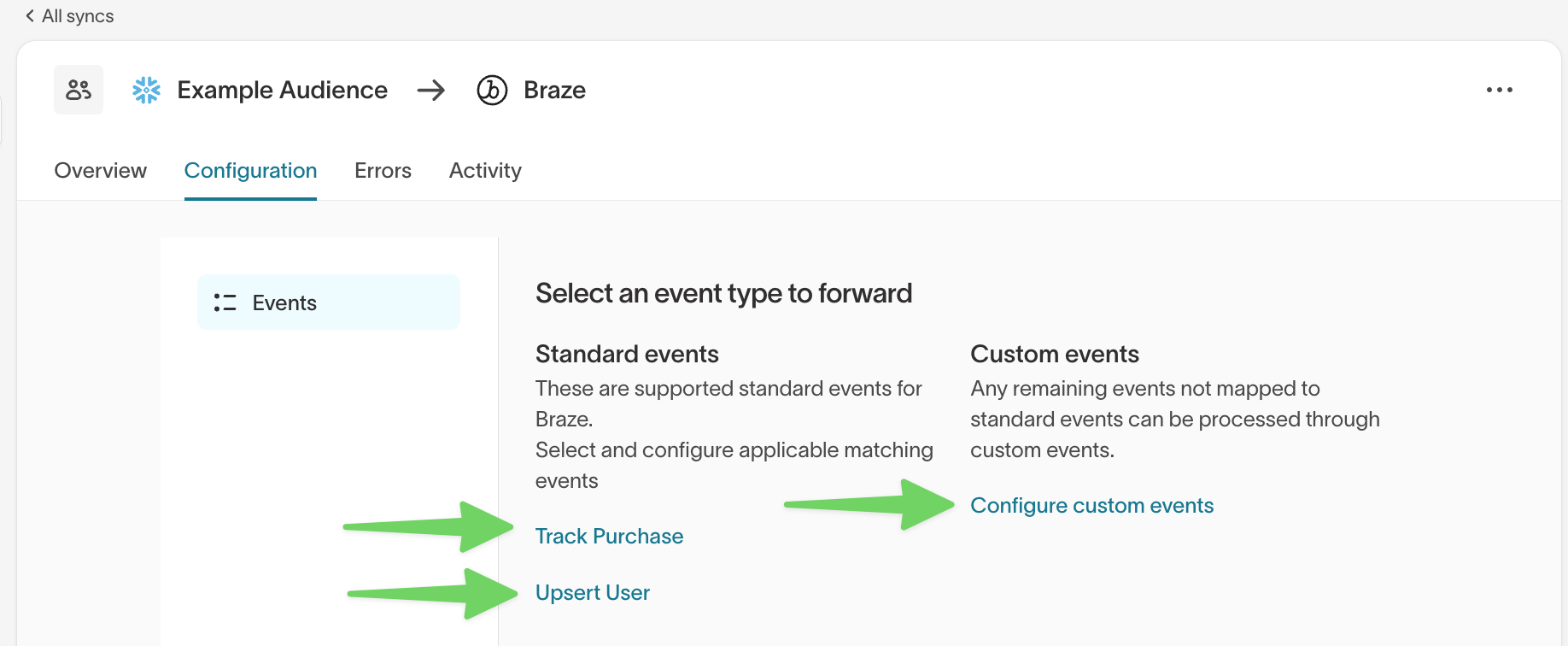
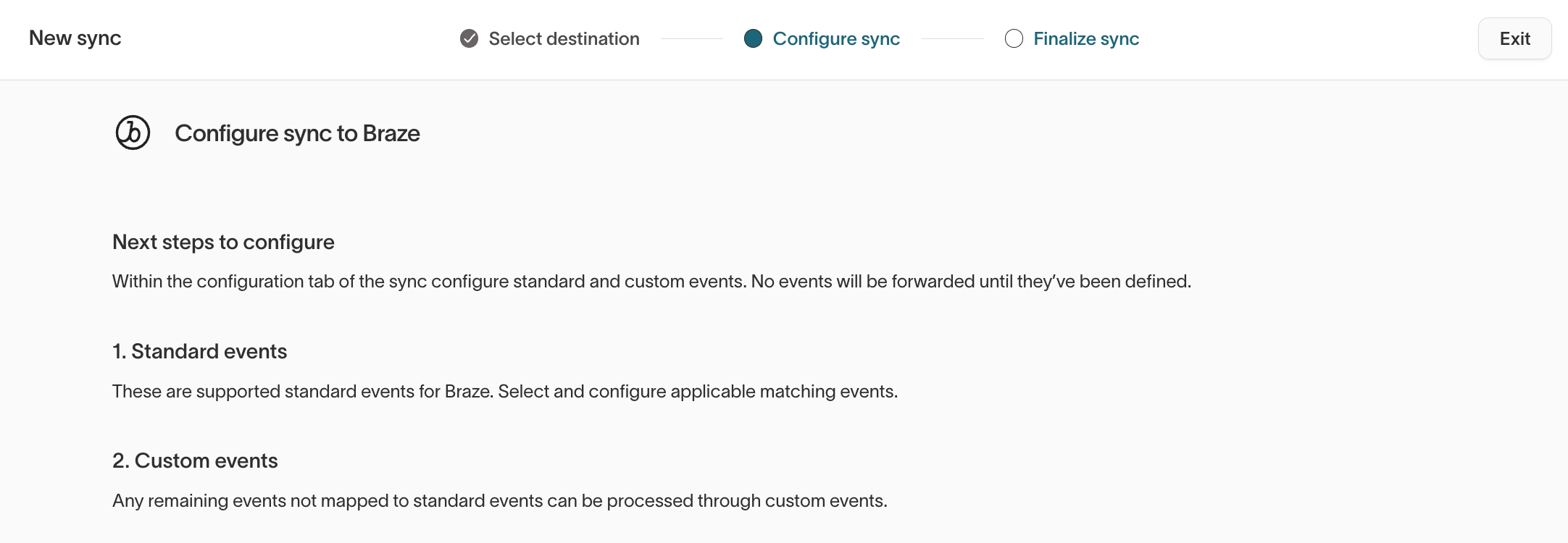
Realtime syncs
Hightouch sends membership updates to supported realtime destinations.
When a user enters or exits an audience, Hightouch emits a membership event (e.g., User123 entered audience High-intent pricing visitors). These events can trigger downstream messaging, suppression, or activation workflows.
Supported destinations receive audience membership changes immediately after evaluation.
Depending on the destination configuration, this may include:
- Audience entry events when a user qualifies for an audience
- Audience exit events when a user no longer qualifies
- Mapped events or properties configured in the sync
Membership API
Applications can query current realtime audience membership via a low-latency API.
The API accepts a user_id and returns the list of qualifying audience IDs.
Common use cases:
- website personalization
- in-app messaging
- feature flagging
- session-based targeting
The Membership API returns audience membership only. Use the Personalization API to retrieve warehouse-backed traits and profile data.
Realtime audiences and Personalization API
Hightouch supports two complementary systems for real-time use cases:
- Realtime audiences determine whether a user currently qualifies for an audience based on live session behavior.
- Personalization API retrieves warehouse-backed profile attributes used to personalize the experience.
These systems often work together in a single request flow.
| Realtime audiences / Membership API | Personalization API | |
|---|---|---|
| What it returns | Audience IDs based on current session behavior | Traits and attributes from warehouse data |
| Primary data source | Streaming events + cached attributes | Warehouse-backed cache |
| Reflects current session activity | Yes | No |
| Best for | Determining eligibility in real time | Personalizing the experience |
Example flow:
- Call the Membership API to check if a user qualifies for an audience
- If they qualify, call the Personalization API to retrieve profile attributes
- Use both to determine and personalize the experience
Data storage
To support low-latency evaluation, Hightouch caches some warehouse data into the Hightouch platform. Your warehouse remains the source of truth.
Event evaluation state
| Stored data | Aggregated event counts per user per event condition |
| Purpose | Evaluate time-based event conditions such as performed 3 times in the last 10 minutes |
| Retention | Up to 24 hours |
Raw event payloads are not retained after aggregation.
Warehouse attribute cache
| Stored data | Only attributes referenced in audience conditions |
| Purpose | Avoid repeated warehouse queries |
| Refresh frequency | Scheduled cadence (default every 24 hours, configurable); refreshes can also be triggered on demand |
| Retention | While the audience is active |
Examples of cached attributes include:
plan_typeregionloyalty_tierlifetime_value
This cache allows Hightouch to combine live session behavior with profile context already defined in your warehouse.
For audiences with warehouse-backed conditions, Hightouch refreshes the cache on a schedule you control and shows the current freshness state directly on the audience. You can adjust the refresh cadence or trigger an on-demand pull when you need the cache to reflect recent warehouse changes sooner. See Refresh warehouse-backed conditions for the controls.
Audience membership store
| Stored data | Mapping of user_id to qualifying realtime audience IDs |
| Purpose | Serve Membership API responses |
| Retention | While the user qualifies for at least one audience. When a user exits all audiences, their record is removed. |
This store is used for the Membership API. Realtime sync delivery does not require querying it directly.
Latencies
| Operation | Latency |
|---|---|
| Event ingestion to membership update | <1 second p95 |
| Membership API lookup | <30 ms p95 (excluding network transit time) |
| Warehouse attribute refresh | Scheduled cadence (default every 24 hours, configurable) or on demand |
These are target performance characteristics, not guarantees.
Constraints and limitations
Realtime audiences are optimized for fast, session-based audience evaluation.
Current constraints:
- Realtime event conditions must include a lookback window
- Maximum lookback window is 24 hours
- Only event count conditions are supported for realtime evaluation today (no arbitrary aggregations like SUM yet)
- User property conditions (e.g., from
identifycalls) must go through the warehouse; they cannot be evaluated in real time via streaming
Example supported patterns:
- Viewed a page 3 times in the last 15 minutes
- Searched for a product during the current session
- Started checkout in the last 5 minutes
Warehouse conditions have no limits on complexity — anything expressible in a standard batch audience can be used.
Key storage principles
Realtime audience architecture follows a warehouse-first model:
- Your warehouse remains the system of record
- Hightouch stores only the minimum state needed to evaluate realtime audience membership
- Full customer profiles are not copied into the realtime evaluation engine
- Event state expires automatically based on the configured lookback window
- Data is isolated by workspace within Hightouch-managed infrastructure
- Realtime audience processing infrastructure runs in US East and EU West regions
- Bring Your Own Bucket (BYOB) is not currently supported for realtime audiences
What's next?
After reviewing the architecture, the next step depends on your role.
If you're configuring schema and event models
- Define data schema
Set up parent, related, event, and realtime event models for Customer Studio.
If you're building audience logic
- Audiences
Create audiences using realtime events, traits, and warehouse-backed filters.
If you're activating realtime audiences
- Set up realtime audiences
Configure realtime events, delivery patterns, and downstream activation.
If you're personalizing experiences
- Personalization API
Retrieve warehouse-backed traits and profile data for live experiences.