Can marketers use Hightouch without SQL?
Yes. Once your data team has set up and maintains a governed customer model and identity in your warehouse, marketers can build and activate audiences, journeys, and personalization in Hightouch using a no-code UI. No SQL required for day-to-day work.
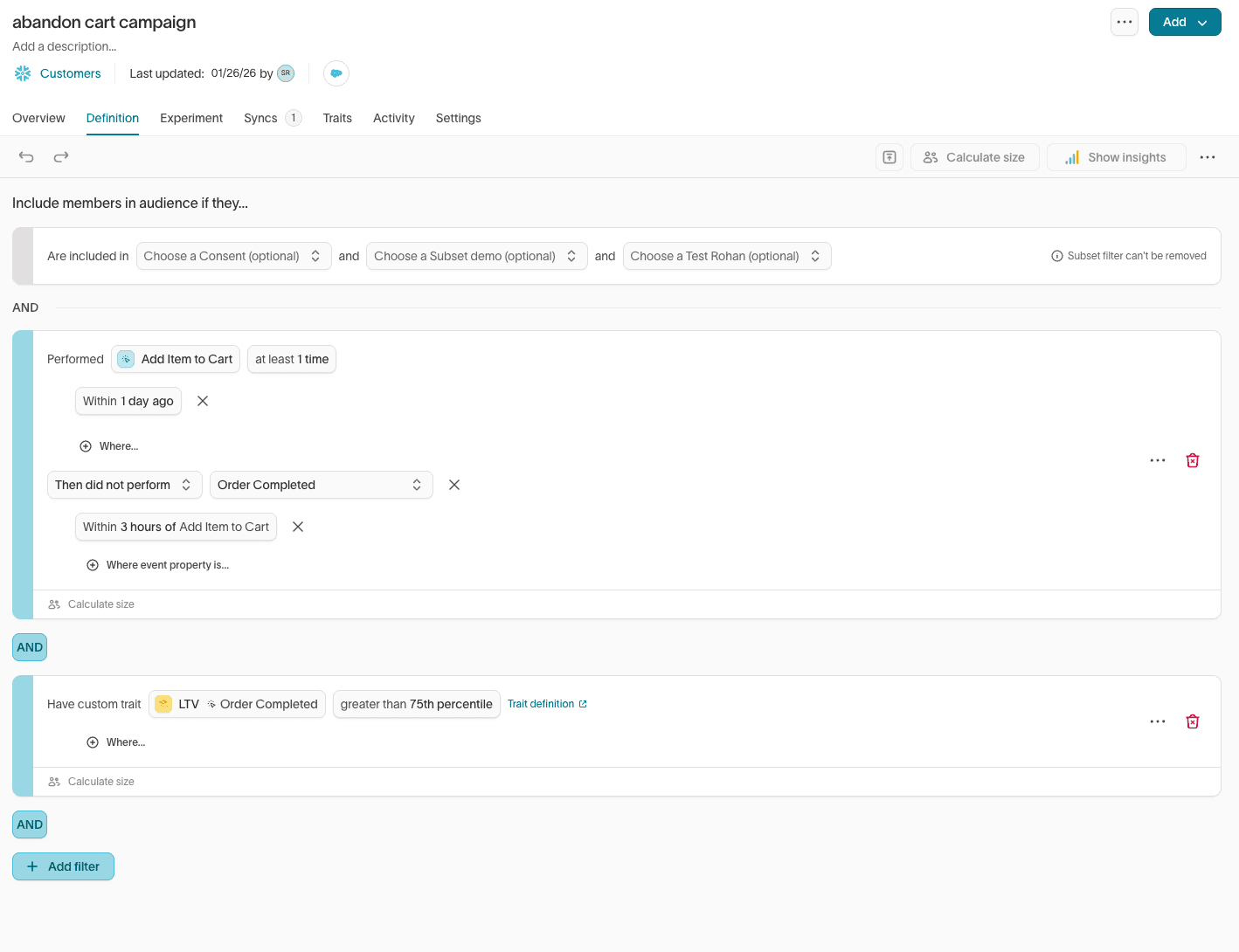
When it’s best to use Hightouch
- Marketer self-serve workflows: Marketers need to create segments, launch campaigns, and iterate quickly without waiting on SQL help for every change. Customer Studio gives them a visual, no-code audience and journey builder on top of trusted warehouse data.
- Clear team handoffs: Data teams own the underlying customer model, identity, and definitions. They use SQL, dbt, and other tooling to evolve those models over time. Marketers then work with those approved building blocks in Customer Studio to execute safely.
- Reusable campaign building blocks: Your org wants shared traits and audiences that can be reused across channels consistently, instead of each marketer rebuilding logic from scratch in every tool.
What people misunderstand
“Marketers still need SQL to do anything.”
Marketers do not need SQL for day-to-day segmentation and activation. They work with curated traits, audiences, and journey steps exposed in the UI. SQL is used by data teams behind the scenes to define and improve the warehouse models and traits that power those no-code experiences.
“No-code means no governance.”
No-code execution does not remove controls. Data teams can define which fields, traits, and destinations are allowed, configure permissions, and manage environments and approvals. Marketers operate within those guardrails, rather than connecting directly to raw tables.
“Self-serve always creates inconsistent definitions.”
Hightouch is built around shared, reusable definitions (traits and audiences), so teams avoid the classic problem of multiple versions of “active customer.” Data teams define and govern the core logic once; marketers reuse it everywhere.
How Hightouch works
At a high level, Hightouch turns your warehouse-defined customer model into marketer-friendly audiences and journeys, then activates them across your tools, in five steps:
- Connect to your warehouse: Hightouch connects directly to your data warehouse and reads from the customer model your data team defines and maintains.
- Apply identity rules from the data team: Hightouch uses the identity rules your team sets up to unify identifiers into consistent customer profiles, so traits and audiences resolve to the right people and accounts.
- Expose warehouse definitions as marketer-friendly traits and audiences: Modeled definitions become easy-to-use traits and audiences in Customer Studio, and marketers can also create traits there (as long as the underlying data exists in the warehouse), like “High LTV customer,” “Viewed pricing page 3+ times,” or “Active subscription.”
- Build audiences and journeys in Customer Studio: Marketers assemble audiences and journeys in a no-code workflow, preview audience counts and composition, and iterate quickly without needing SQL.
- Activate in downstream tools, in batch or real time: Hightouch activates audiences into ESPs, ad platforms, and CRMs. Depending on the use case, it runs in batch (common for lifecycle and advertising) or in real time (common for web and app personalization and event-based journeys), always drawing from the same governed warehouse data.
- Keep governance and control with the data team: Data teams retain control over the underlying model, identity, permissions, and allowed outputs, and can evolve them over time without changing how marketers work in Customer Studio.
Mini example
A lifecycle marketer wants a “high intent” audience for an email program and a paid retargeting push.
- The data team has already modeled key signals in the warehouse and published traits like “Viewed pricing page,” “Requested demo,” and “Account tier” as reusable traits in Customer Studio.
- The marketer combines those traits in Customer Studio (for example: “Viewed pricing page in last 7 days” OR “Requested demo in last 30 days,” filtered to specific account tiers), previews audience size and makeup, and saves it as a shared audience.
- They then build a journey that sends a tailored email sequence to that audience and, in parallel, activates the same audience to the ESP and ad platforms for coordinated retargeting, without writing any SQL or touching the underlying warehouse tables.
Behind the scenes, the data team can keep refining the definitions and models that power those traits, but the marketer’s no-code workflow stays the same.