While building the Agentic Marketing Platform, we kept hearing from marketing and creative teams that editing content with AI was frustrating. Trying to edit visual content with AI can feel like trying to watercolor with a sledgehammer instead of a brush.
Most AI image models generate flat images. To make even the smallest edit, like changing one word of copy or moving a logo one pixel to the right, you have to regenerate the whole image and usually lose the parts you like. Before you know it, you’ve written 7 prompts, and the image looks worse than when you started.
To avoid the frustration, the Hightouch Agentic Marketing Platform generates images in layers on a canvas, similar to Figma and Photoshop. Every image is a set of independent components, such as headlines, CTAs, backgrounds, product shots, logos, imagery, and layouts. These can then be individually edited, restyled, and replaced without affecting the rest of the image.
What layering unlocks
Layering turns a generated ad into something you can actually work with, not just accept or discard.
- Precise, contained edits. Swap a headline, tighten a CTA, or restyle one visual, all without regenerating the whole ad.
- Product and brand accuracy. Product shots, logos, and brand elements stay locked in place while other layers change, so nothing drifts across iterations or variants.
- Faster iteration at scale. Build and refine more creative without manual rework or rebuilding each asset from scatch.
- Channel, language, and product variants. Resize approved concepts for new formats, or spin up localized and product-specific versions, all while keeping brand and product intact.
- Creative-team control. Make pixel-level changes right in Ad Studio, or hand the layered file off to Figma for further polish.
Layering brings fast AI generation and detailed creative control together.
How it works
Static assets
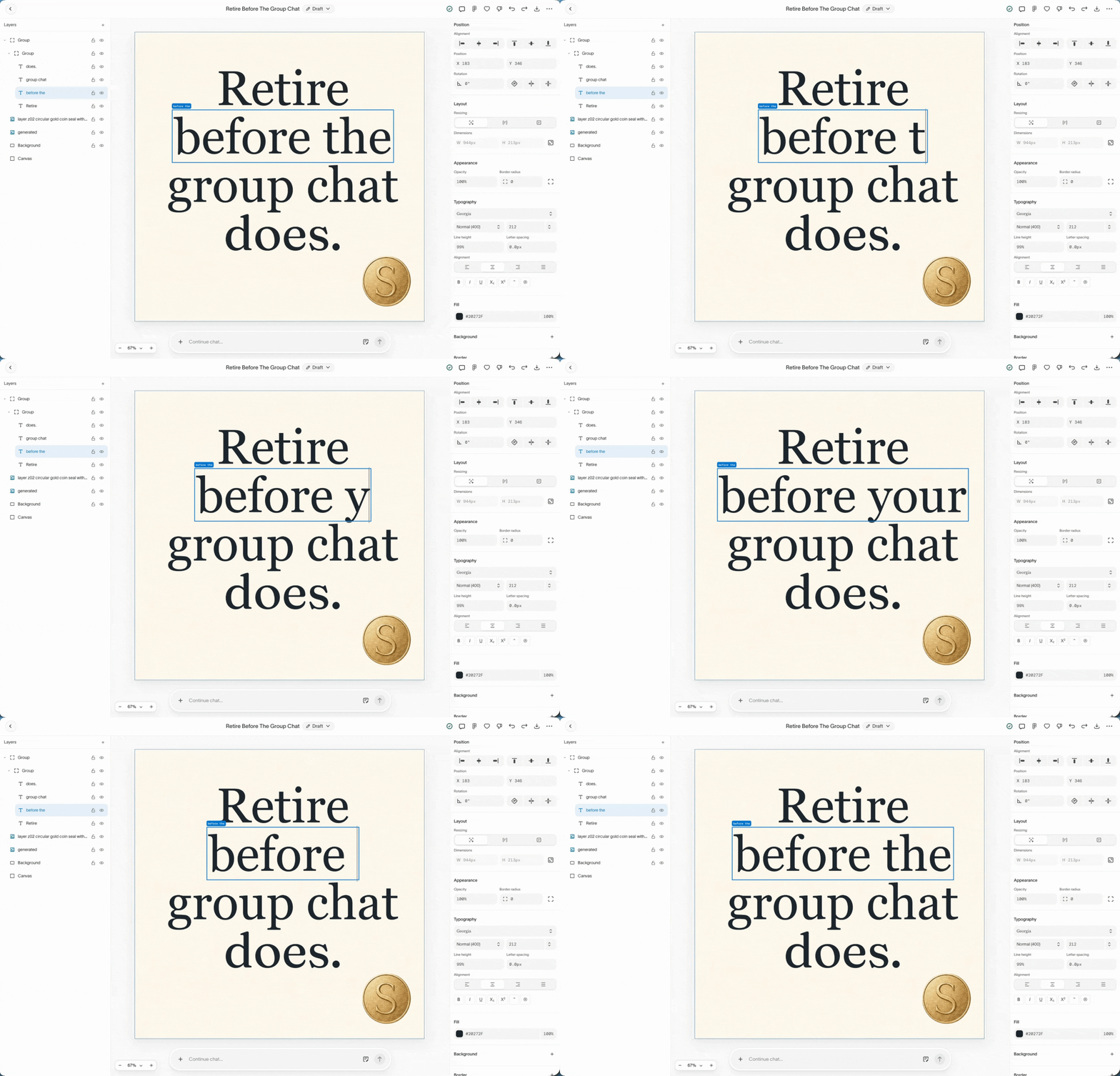
When you create static assets, you can make manual edits or use the prompt box. Layering not only makes edits possible, but makes them fast.
Video assets
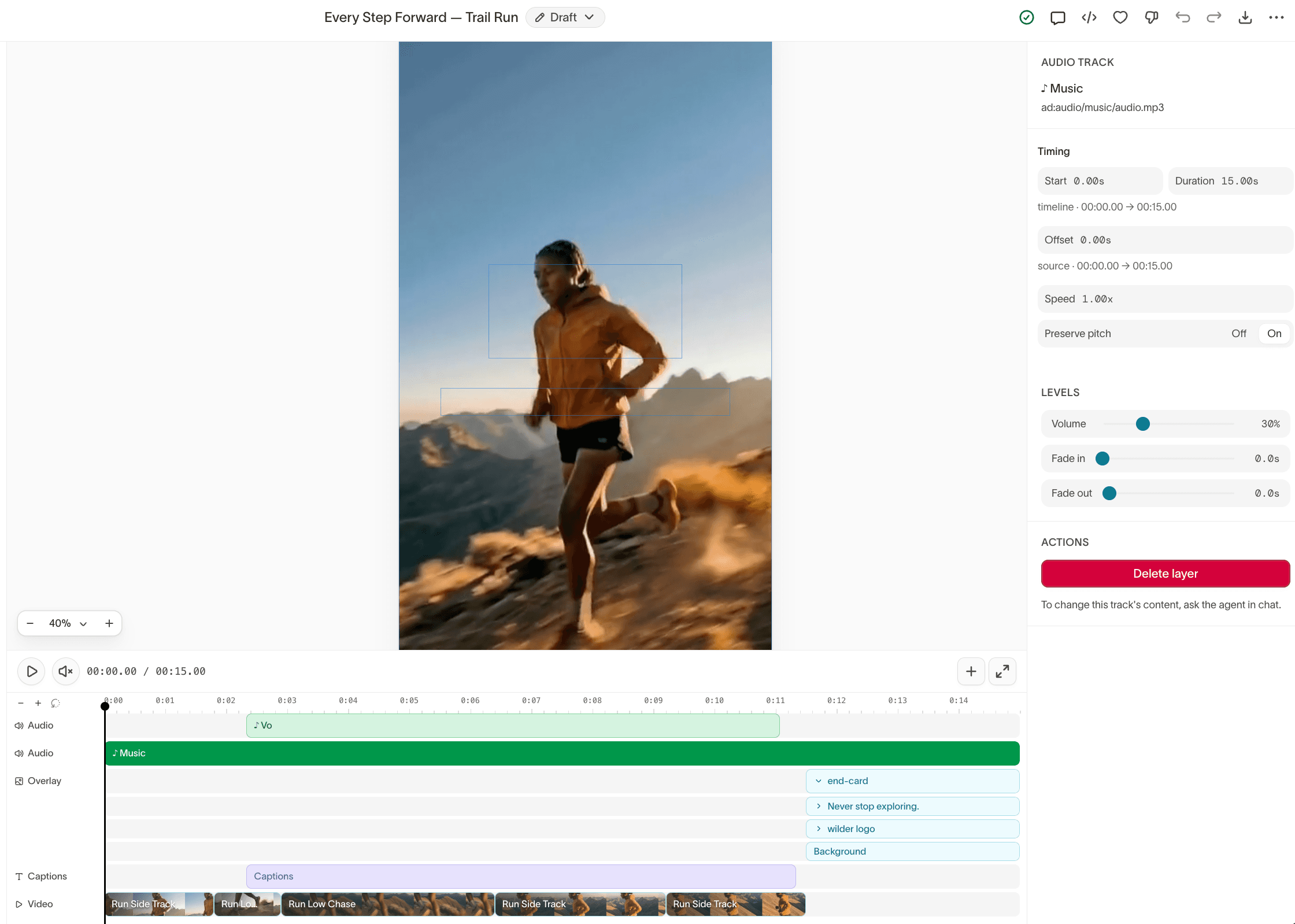
Layering applies to video assets as well. Every video component, such as visuals, audio, and flow, is generated as an individual layer so you can refine quickly.
Book a demo today
Hightouch is the Agentic Marketing Platform that helps enterprise teams go from insights to on-brand campaigns in minutes, using all their data and brand knowledge. With Hightouch, brands and agencies can scale marketing impact without compromising on quality.
Learn more about how to scale your content review and book a demo with our solutions engineers today.